
How to Prioritize Tasks Effectively for Better Productivity
Learn how to prioritize tasks effectively using proven methods like the Eisenhower Matrix and impact scoring to boost your productivity.
First, stop calling everything a priority
The first problem is usually not choosing between ten genuinely important tasks. It is that the task list combines projects, reminders, requests, worries and vague intentions, then labels all of them “high priority.”
Before sorting, rewrite each item as an observable next action and attach it to a result. “Prepare for client meeting” is not yet a task. “Draft the three decision points for Thursday’s client meeting” can be compared with other work.
This matters because urgency and importance pull attention differently. Research on construal level theory found that urgent tasks tend to be perceived concretely, while important tasks are perceived more abstractly. People with a more abstract mindset were more likely to favour important work over urgent work. [6]
In practice, ask two questions for every meaningful item: what happens if this is not done soon, and what changes if it is done well? The first identifies time pressure. The second identifies impact.
If you cannot name the consequence or outcome, do not promote the task yet. Put it in a holding list labelled “clarify,” then seek the missing information. Ranking unclear work creates impressive-looking plans that collapse when you try to start.
When urgent work arrives, use the Eisenhower Matrix carefully
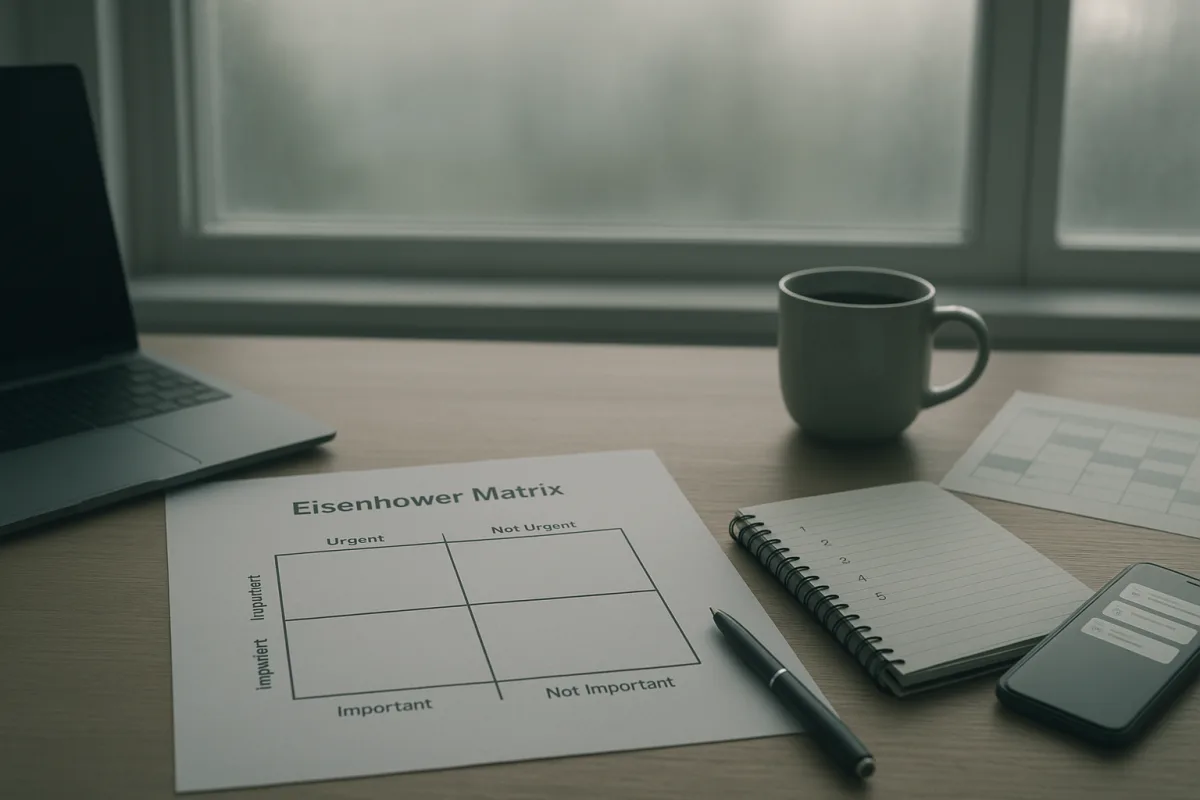
The Eisenhower Matrix is useful when incoming requests are crowding out planned work. It sorts tasks into four categories: urgent and important, important but not urgent, urgent but not important, and neither urgent nor important. [1][7]
Do the urgent-and-important tasks first, but keep this quadrant small. A client outage, a compliance deadline or a decision blocking other people may belong there. If ordinary email and routine requests dominate it, the categories are being used as descriptions rather than decisions.
Schedule important-but-not-urgent work into actual calendar space. This is where planning, skill-building, preventive maintenance, writing, analysis and relationship work often belong. These tasks rarely force their way into today, which is precisely why they need a protected appointment.
Delegate, negotiate or reduce urgent-but-not-important work where your role allows it. That might mean asking a colleague to own the logistics, using a template for a repeat request, or agreeing on a later response time. “Delegate” is not always available, but “do it immediately” is not the only alternative.
Delete or defer the neither-urgent-nor-important category. Be specific about what deletion means: unsubscribe, decline, archive, remove a recurring reminder, or put the idea on a someday list. Leaving it visible as a low-priority task still uses attention.
The matrix breaks when every stakeholder has different definitions of importance. In that case, do not silently apply your own judgement. Ask the person who owns the outcome which deadline, risk or measure of success should govern the choice.
If the matrix feels too subjective, score impact before scheduling
Some work is hard to sort into four boxes. Two important projects may both lack firm deadlines, while a third task affects a customer, a team metric or a costly bottleneck. Numeric scoring can make the trade-off more explicit.
The 0-10 Rule asks workers to score tasks by impact, then act on the highest-scoring work rather than relying only on urgency. A randomized controlled study reported a 54.7 percent increase in focused work hours alongside reduced burnout among working professionals. [8]
Use it with restraint. At the start of the week, score only the tasks that could realistically be done or advanced in the next five working days. A score of 9 or 10 should mean a material consequence, not merely “my manager asked.”
For example, fixing an error that prevents invoices being issued might score 10. Drafting a proposal needed for next month’s renewal might score 8. Tidying a shared folder may score 2, even if it is satisfying and easy.
Then break any task scored 7 or above into a next action that fits one work session. “Improve onboarding” cannot be started. “Interview two recent hires about the first-week handoff” can, and it gives you a real block to protect.
Scoring is not an objective measure of human worth or job value. It is a way to make your assumptions visible. Re-score when a deadline changes, new evidence arrives, or a decision-maker clarifies what matters.
Choose fewer tasks than your list says you can
Once tasks are ranked, the next failure point is overcommitting. Many planning mistakes come from assigning every task a place in the week without accounting for meetings, messages, dependencies, reviews and work that takes longer than hoped. [12][15]
A useful constraint is to plan a short daily set. The popular 1-3-5 Rule suggests one large task, three medium tasks and five small tasks for a day. [5] It can prevent endless lists, but it lacks the rigorous validation available for the 0-10 Rule. [5][8]
Treat 1-3-5 as a capacity prompt, not a rule to obey. On a meeting-heavy day, one medium task and a few small ones may be more honest. On a protected project day, the large task may be the only commitment that matters.
Do not allocate all available hours to planned tasks. Leave space for genuine urgent work, handoffs and corrections. A plan with no slack converts every interruption into apparent personal failure, when the real problem is that the plan assumed an unrealistically quiet day.
Also account for dependencies. If you cannot begin until legal reviews the copy, the next priority is not “finish campaign.” It is “send legal the specific questions by 11 a.m.” Prioritizing blocked work as though it were startable causes unnecessary guilt and repeated reshuffling.
Put high-priority work in the calendar before lower-value work expands
A ranked list is not enough because calendars tend to fill from the outside in. Meetings, inbox checks and quick requests claim time first, then the work you said was important becomes tomorrow’s problem.
Pomodoronline and RescueTime reporting points to allocating about 50 to 60 percent of daily work time to high-priority tasks as a productive range. [4] The exact percentage is not universal, especially in service, care, management or incident-response roles, but it is a useful starting audit.
Look at a normal day and mark the existing commitments. Then block the remaining time first for your one or two highest-impact actions. Only after those blocks exist should you assign lower-priority administration, routine communication and optional meetings.
Use a task’s real shape to choose the block. A complex analysis may need a 90-minute uninterrupted session. A sequence of approvals may need three 15-minute follow-ups at points when others are likely to respond. “Time block” should describe how work happens, not impose a fashionable rhythm.
The Pomodoro Technique can help make a block finite: work for a defined interval, then take a short break before deciding whether to continue. It is one of the established focus methods, but it does not solve a calendar filled with conflicting commitments. [3]
If a priority consistently gets deferred, inspect the reason. It may be too large, blocked, poorly defined, politically unsupported, or scheduled when you are routinely unavailable. Change the design of the work, not just the colour of its calendar label.
Protect the work from context switching
The next obstacle is not usually a lack of technique. It is switching between chat, email, documents, meetings and browser tabs often enough that no task receives sustained attention. Multiple sources estimate that multitasking and context switching can reduce efficiency by up to 40 percent. [16]
For each protected block, define a narrow operating rule. Close unrelated documents, silence non-essential notifications, and keep a capture note for thoughts or requests that arise. Write the request down, then return to the task instead of resolving it mid-block.
Batch low-consequence communication into defined windows when your job permits it. If you must remain reachable for customers, colleagues or safety issues, set a clear exception: respond to named channels or contacts, not every notification generated by every system.
Do not use focus intervals to push through persistent exhaustion, disrupted sleep, anxiety or low mood. Those are not productivity settings to optimise. If they are affecting daily functioning, speak with a doctor or qualified health professional.
Energy still matters in the ordinary scheduling sense. Put work requiring judgement, writing or deep analysis in periods when you are usually most alert, and reserve mechanical tasks for lower-energy periods. Ignoring predictable rhythms is a common reason carefully ranked plans go unfinished. [15]
Pick a tool last, and keep it boring enough to use
Digital task tools can store priorities, dates and project context, but their usefulness varies by person and job. Recent products such as Clarify, TickTick, Todoist, ClickUp and Things 3 offer prioritization features, yet there is no definitive comparative research showing one is best. [10][17]
The risk is feature overload. An app can add labels, views, filters, streaks, dashboards and notifications faster than it removes decisions. Research and commentary on productivity apps warn that excessive complexity can increase cognitive load and undermine focus. [14]
Choose a tool only after choosing your sorting method. If you use the Eisenhower Matrix, you need four clear categories and a calendar. If you use 0-10 scoring, you need a visible impact field and a short ranked view. A paper list can do both.
Set a limit on maintenance. For example, allow ten minutes at the end of the workday to capture tasks, clarify loose items and select tomorrow’s first action. If maintaining tags and dashboards takes longer than acting on the list, remove features.
AI-generated task suggestions deserve the same caution. They may help with capture or summarisation, but no evidence identified in the research brief shows that AI-driven task management produces better productivity outcomes than traditional approaches over time.
Adapt the method to the way work is actually coordinated
Strict prioritization systems assume that one person can decide what happens when. That fits more easily in monochronic work cultures, where schedules, fixed deadlines and sequential task completion are the norm. [13]
In polychronic settings, work may be relationship-driven, interrupted and shaped by multiple concurrent commitments. A rigid hourly plan can make you appear unresponsive or can simply fail to reflect how decisions are made. The answer is adaptation, not abandoning priorities.
Instead of protecting a single long block, use shorter blocks and explicitly negotiated response windows. Instead of privately scoring every request, agree with the team on shared criteria, such as customer risk, revenue impact, legal exposure or a deadline affecting several people.
Cultural differences also influence whether decisions are made individually or collectively, and whether deadlines are treated as fixed or flexible. These differences strongly affect method fit, although large-scale quantitative evidence on the resulting productivity gains remains limited. [13]
End each day with a small review: what was completed, what changed, what is blocked, and what deserves the first protected block tomorrow. That is enough feedback to keep a prioritization system honest without turning planning into another full-time task.
Frequently Asked Questions
What is the best way to prioritize tasks effectively?
Begin by defining the key outcome you want to achieve for the week, then rank tasks based on their contribution to that outcome. Distinguish between urgency and importance, focusing on tasks that have meaningful impact rather than just immediate deadlines. Avoid labeling everything as high priority and clarify tasks by attaching them to specific, observable next actions.
How can I use the Eisenhower Matrix to prioritize tasks?
Sort tasks into four categories: urgent and important, important but not urgent, urgent but not important, and neither urgent nor important. Focus first on urgent-and-important tasks but keep this list small. Schedule important-but-not-urgent tasks to protect time for planning and development. Delegate or reduce urgent-but-not-important tasks and delete or defer tasks that are neither urgent nor important.
How do I score tasks to decide which to do first?
Use a numeric scoring method like the 0-10 Rule, which asks you to rate tasks by their impact rather than urgency alone. This approach has been shown to increase focused work hours by over 50% and reduce burnout. Scoring helps make trade-offs more explicit when tasks are hard to compare by deadline or urgency.
How do I balance urgent and important tasks effectively?
Recognize that urgent tasks often feel concrete while important tasks are more abstract and may require deliberate scheduling. Prioritize urgent-and-important tasks immediately but protect calendar space for important-but-not-urgent work to prevent it from being crowded out. Delegate or negotiate urgent-but-not-important tasks and remove tasks that do not contribute meaningfully to your goals.
How we researched this
This article was assembled from 17 cited references.
Nothing here is based on hands-on testing. Where a figure or finding appears, it belongs to the source cited beside it, and the writing says so rather than implying otherwise. Every source is listed below so you can check it.
Sources
- Eisenhower Matrix: How to Prioritize Tasks Effectively
- How to prioritize tasks at work: 4 steps that work [2026] • Asana
- 7 Best Productivity Methods in 2026: Ranked and Compared | FocusTomato Blog
- Task Time Tracking - Understand Where Your Work Time Goes | Pomodoronline
- 1-3-5 Rule: How to Plan Your Day and Prove It Worked
- Urgent tasks are concrete, important tasks are abstract: A construal level theory perspective - ScienceDirect
- Eisenhower Matrix Explained: 4 Quadrants, Examples & Template (2026) — Framework
- (PDF) Impact-Based Prioritization and the 0-10 Rule: A Randomized Controlled Study of Productivity Gains and Burnout Reduction in Working Professionals
- Clarify - An Evidence-Based Approach to Improve Focus and Curb Procrastination
- The Best New Apps For Productivity In 2025: Tools That Actually Help You Get Things Done | Blog | SIIT
- You’re Destroying Your Deep Work—Stop These Productivity-Killing Focus Mistakes Now - Productivity News
- Common Productivity Mistakes at Work (And How to Fix Them)
- Productivity Myths Debunked | 25 Evidence-Based Truths for 2026
- Why Most Productivity Apps Fail to Improve Focus | 01
- Common Mistakes in Task Planning and How to Avoid Them
- Context switching: How to reduce productivity killers | Plane Blog
- Clarify: Focus & Task Manager App - App Store
Related Articles
80 20 Rule for Productivity
Learn how to use the 80 20 rule for productivity to identify and focus on tasks that drive the most results each week.

How to Measure Productivity Effectively
Learn how to measure productivity effectively using progress, quality, and time tracking for meaningful insights into your work.

How to Use Affirmations for Productivity Effectively
Learn how to use affirmations for productivity with believable, task-specific statements that boost focus and help you start work.
Create an Effective To-Do List: Tips for Better Productivity
Learn how to create an effective to-do list with actionable tasks, prioritization, and daily planning to boost your productivity.