
Create an Effective To-Do List: Tips for Better Productivity
Learn how to create an effective to-do list with actionable tasks, prioritization, and daily planning to boost your productivity.
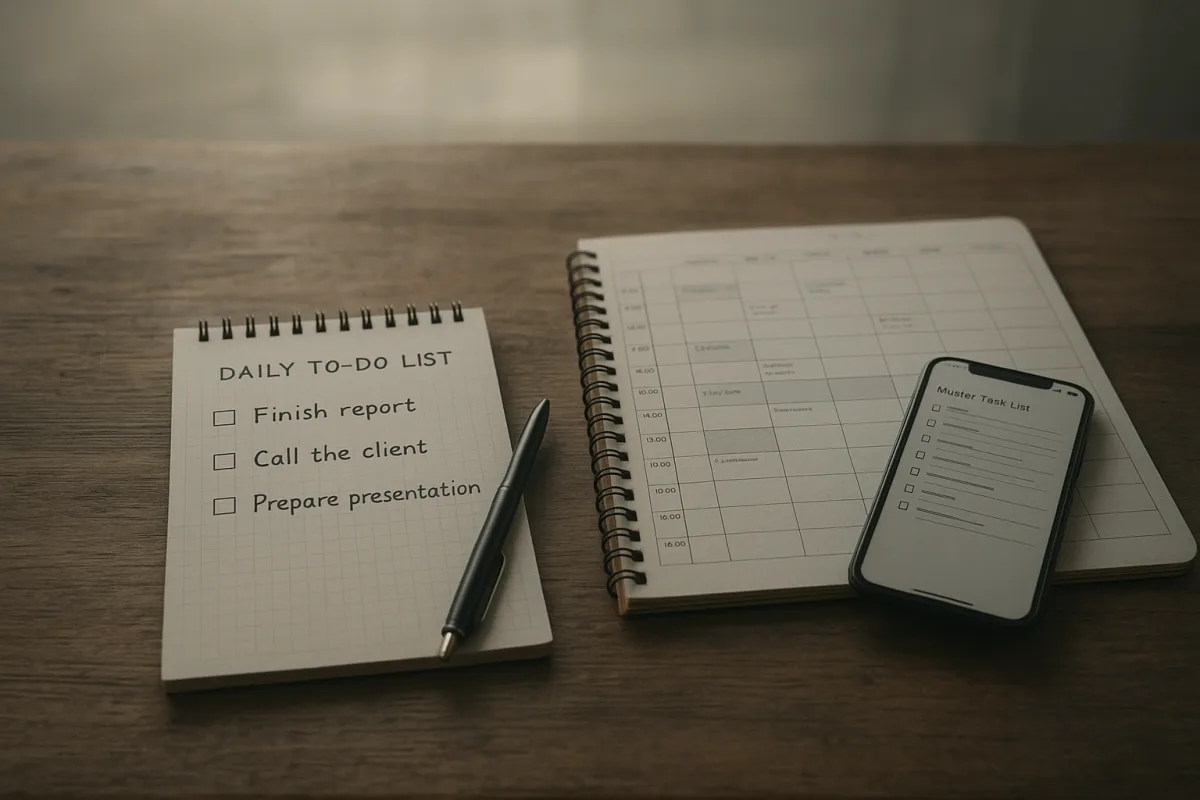
First, stop asking one list to do two jobs
Most ineffective to-do lists begin as a sensible attempt to remember everything. By lunchtime, they have become a mixture of errands, long-term projects, unread emails, meeting notes and tasks that were impossible to finish today anyway.
Keep a master list for that material. It is a holding area, not a plan for Tuesday. Its job is to prevent loose commitments from living in your head, where they tend to feel equally urgent.
Then make a daily list from it. The daily list should contain only tasks you could reasonably begin and finish, or make a defined piece of progress on, during the available working time.
This distinction matters because a long list changes how people choose. When every item sits at the same visual level, it is easy to clear quick, low-consequence chores while avoiding the work that would actually move a project forward. [18]
There is a useful warning in the available evidence: HuffPost reporting cited by Breeze found that 41 percent of to-do-list items remain incomplete. [18] That does not prove lists are useless, but it does challenge the idea that writing and ranking tasks is enough.
A master list can be long. A daily list cannot, at least not if you want it to function as a decision tool rather than a record of everything you wish were already done.
Turn projects into tasks you can start
The next problem usually appears when you try to begin an item and discover it is not really a task. “Prepare presentation,” “sort finances” and “improve website” are projects, areas of responsibility or hopes. None tells you what to do first.
Rewrite each one as a physical or observable next action. “Open last quarter’s figures and highlight three trends” is better than “prepare presentation.” “Download April statements” is better than “sort finances.”
A task should answer three questions: what action will I take, what object or output will it affect, and what counts as done for this sitting? The point is not to make language fussy. It is to reduce the gap between reading the list and starting work.
If a task will take several sessions, put only the next session’s outcome on today’s list. For example, replace “write report” with “outline report headings for 30 minutes” or “draft the methods section.”
This is particularly important with tasks you avoid. Vague work expands in your head because it contains unknown decisions. A smaller next action does not make the project disappear, but it gives you a legitimate way in. Sources on failing lists repeatedly identify vague, non-actionable wording as a common reason lists stall. [12][13][14]
Do not mistake excessive breakdown for progress, though. You do not need a list that says “open laptop,” “find file” and “begin.” Break work down until the next action is clear, then stop.
Decide what matters before the urgent work arrives
Once tasks are concrete, you need a way to choose among them. Prioritisation is useful here, but it is not a magic property that makes work happen. The evidence does not establish a direct, conclusive quantitative link between a prioritised list and higher completion rates.
Still, a method prevents every incoming request from receiving the same weight. Use one that matches the kind of decisions you are making, rather than collecting priority labels because they look organised.
For a mixed personal or administrative list, the Eisenhower Matrix is a practical starting point. It separates tasks by urgent versus important: do urgent and important work, schedule important but non-urgent work, delegate urgent but less important work where possible, and remove what fits neither category. [1]
The awkward part is being honest about “urgent.” A deadline is urgent. An email that makes you uneasy is not necessarily urgent. If you label every request urgent, the matrix merely gives your existing panic four coloured quadrants.
For a straightforward daily list, try the ABCDE method. Mark must-do items A, important-but-less-critical items B, then C through E, with E representing work to eliminate. [2][3] It suits people who need a firm sequence, not a debate with themselves all day.
For project work involving multiple stakeholders, MoSCoW is often more useful: Must have, Should have, Could have and Won’t have for now. [2] It is less suited to a personal Tuesday list, where calling “buy toothpaste” a “must-have requirement” may be technically true but not especially clarifying.
The simplest surviving option is the Most Important Task approach: choose one to three tasks whose completion would make the day meaningfully better. [4] This is useful when your work needs concentration and you cannot pretend that ten substantial items are equal.
Pick your MITs by consequence, not guilt. The task you have postponed longest may deserve attention, but postponement alone does not make it the highest-leverage use of a morning.
Put tasks in time, or accept that the list is only a wish
Priority tells you what deserves attention. It does not reserve attention. This is where a conventional to-do list tends to break during a real week, especially when messages, meetings and other people’s deadlines start arriving.
Give your priority tasks calendar blocks. Time-blocking guidance commonly suggests 90 to 120 minutes for demanding, focused work and 30 to 60 minutes for shallower tasks such as administration or routine replies. [7][8]
Start by looking at the day you actually have, not an imaginary empty one. Put fixed meetings in first. Then protect the first available period when you tend to have the best working energy for the task that needs thought.
That does not mean trying to optimise mood, sleep or concentration through a planner. Persistent problems with any of those belong with a doctor or qualified clinician, not a productivity system. A calendar can only help you make realistic commitments around your current circumstances.
Leave about 25 percent of the day unbooked. [7] That buffer is where late calls, unexpected requests, technical problems and tasks that take longer than expected go. Without it, every interruption turns your plan into evidence that you have failed.
Use a short block for small work, but do not fill every gap. Group similar tasks such as calls, approvals or household admin into one block when possible. Batching reduces the repeated decision of what type of work to switch to next. [17]
Time blocking is often presented as replacing the to-do list entirely. That overstates it. The more workable arrangement is a short priority list plus blocks for the tasks that matter. The list chooses, the calendar protects. [7][19]
Choose a daily task count from your capacity, not a rule
You will find incompatible prescriptions for list length. Some guidance recommends three core tasks, while the 1-3-5 rule proposes one large task, three medium tasks and five small tasks. [4][6] Neither number is a law.
A three-item list can be unrealistic if all three are major pieces of analytical work. A nine-item 1-3-5 list can be perfectly manageable if the five small tasks are genuinely brief and your day has few meetings.
A better daily test is time. Estimate each task roughly, add the calendar blocks, and compare the result with the hours you control. If the arithmetic does not fit, move work back to the master list before the day starts.
For many people, three to five actionable daily items is a more useful ceiling than the 40-plus-item brain dump that often masquerades as a plan. [3][18] But use it as a prompt to size work realistically, not as another quota to meet.
At the end of the day, do not automatically roll every unfinished task forward. Ask why it remained. Was it too large, wrongly prioritised, dependent on somebody else, blocked by missing information, or simply not worth doing?
Then revise the task, schedule it, wait for the dependency, or delete it. Copying a stale item onto tomorrow’s list repeatedly is not persistence. It is a sign that the list is no longer giving useful information.
Plan differently during busy and difficult periods
The system needs to work in a week when capacity is reduced, not just in a calm week with good intentions. During high-stress periods, shorten the daily list, break larger work into smaller steps and schedule breaks rather than treating them as optional. [16][17]
This is not a case for lowering standards indefinitely. It is a way to make the list describe the resources available now. A plan built for a normal week can become misleading during deadlines, family demands, travel or other disruptive periods.
Remote work adds a particular complication: the list may be clear while the environment is not. Distractions, blurred boundaries and emotional strain can affect how easily people start or sustain tasks. [16] A better priority label will not solve all of that.
Cultural and workplace expectations can also shape what feels legitimate to prioritise, particularly where responsiveness to colleagues competes with individual task ownership. There is not enough quantitative research to prescribe a universal adjustment, so notice the pressures in your own setting rather than assuming one list format fits everyone.
Use a weekly review to make these adaptations visible. Look at the master list, remove obsolete commitments, identify deadlines, choose likely priorities and reserve blocks before the week fills with other people’s plans.
Pick a tool that makes review easy
Tools do not fix unclear tasks or overloaded days. There is also no identified research showing that paper lists outperform digital lists, or the reverse. The useful question is where you will reliably capture tasks and review them.
For a digital system, Todoist Pro costs $5 per month and is suited to people who want a dedicated task manager with a paid tier. TickTick Premium costs $2.79 per month and suits people comparing lower-cost premium task apps. [9][10]
Things 3 is sold as a one-time purchase, typically priced from $10 to $50 depending on the Apple device version, and suits people who work primarily in Apple’s ecosystem. Microsoft To Do is free with Microsoft 365 and makes sense for people already working in that environment. [9][11]
For paper, Hobonichi planners run roughly $50 to $150 and suit detailed daily planning. Leuchtturm1917 notebooks, around $20 to $30, suit a simpler handwritten list and notes system. Filofax organisers range from about $50 to $200 and suit people who want refillable, modular paper planning. [9]
Those prices are tool costs, not evidence of effectiveness. Before buying anything, try the structure in a notebook for a week: master list, three to five daily actions, priorities and calendar blocks. If you keep reviewing it, then choose the tool that removes friction rather than adding features.
Frequently Asked Questions
How do I create an effective to-do list that I can actually complete?
Start by keeping a master list to capture all tasks and ideas, but create a separate daily list limited to three to five genuinely actionable tasks that fit the time you have available. Make sure each task is a clear next action you can start and complete or make progress on during the day. Avoid vague or large project labels and break tasks down into concrete steps to reduce procrastination.
What is the best way to prioritize tasks on a to-do list?
Use a prioritization method that fits your decision-making context, such as the Eisenhower Matrix, ABCDE method, or Most Important Task (MIT) approach. Rank tasks before the day begins and assign important ones specific time blocks on your calendar. Prioritization helps prevent all tasks from feeling equally urgent, but it is not a guarantee of higher completion rates without protected time.
How many tasks should I include on my daily to-do list?
There is no fixed optimal number, but research suggests limiting your daily list to about three to five actionable tasks sized to your available working time. Some approaches recommend up to nine tasks structured by size and importance, but the key is to keep the list manageable so it functions as a decision tool rather than a record of everything you wish were done.
How can I write tasks as actionable next steps?
Rewrite tasks to specify a visible, physical action that you can start immediately, such as “draft three interview questions” instead of “work on project.” A good task answers what action you will take, what it affects, and what counts as done for that session. Breaking projects into clear next steps reduces ambiguity and helps overcome avoidance.
Should I use a paper or digital to-do list for better productivity?
Choose the format—paper or digital—that you will review consistently. There is no strong evidence that either format alone produces better results. The effectiveness depends more on how regularly and thoughtfully you engage with your list than on the medium you use.
How we researched this
This article was assembled from 19 cited references.
Nothing here is based on hands-on testing. Where a figure or finding appears, it belongs to the source cited beside it, and the writing says so rather than implying otherwise. Every source is listed below so you can check it.
Sources
- The Eisenhower Matrix: How to Prioritize Your To-Do List [2026] • Asana
- How to Prioritize Tasks and Projects Effectively | Slack
- How to Keep Track of Tasks at Work: 8 Strategies | Lifestack
- How to Prioritize Tasks When Everything Feels Important | Focusly Blog
- How Many Tasks Should You Plan Per Day? | Ellie
- How Many Items Should Be on Your Daily To-Do List? Discover the Perfect Number for Maximum Productivity! 📝 [2025] - Daily Checklist
- Time Blocking in 2026: The Trends, Research & Tips That Actually Work
- Time Blocking: The Scientifically Proven Way to Get More Done – Golden e-living
- Best To-Do List Apps (2026) | Todoist, Things 3, TickTick & More
- Best To-Do List Apps (2026): We Tested 6 for 6 Weeks
- Best Free To-Do List Apps (2026) | Actually Free Apps
- Why Your To-Do List Isn't Working (And How to Fix It) - Superlist
- Why To-Do Lists Fail (and How to Fix Them) – FocusList – daily planner & focus timer based on timeboxing and Pomodoro technique
- Why Most To-Do Lists Fail (And How to Make Yours Actually Work) | The Bureau Journal
- Why To-Do Lists Don't Work — and What Does
- The Hidden Reasons To-Do Lists Stress You Out | Banner Health
- Why Warm Weather Changes Your Productivity—and How to Adapt | LifeAt
- Why long to-do lists hurt productivity
- Time Blocking in 2026: Why It's Replacing the To-Do List | demonteMAG | demonteMAG
Related Articles
80 20 Rule for Productivity
Learn how to use the 80 20 rule for productivity to identify and focus on tasks that drive the most results each week.
How to Prioritize Tasks Effectively for Better Productivity
Learn how to prioritize tasks effectively using proven methods like the Eisenhower Matrix and impact scoring to boost your productivity.

Daily Routine for Productivity: How to Create Yours
Learn how to create a daily routine for productivity with practical steps and tips tailored to your personal needs.
How to Create a Productivity Vision Statement That Guides
Learn how to create a productivity vision statement to clarify your focus, align with your values, and improve your work habits.