
How to Measure Productivity Effectively
Learn how to measure productivity effectively using progress, quality, and time tracking for meaningful insights into your work.
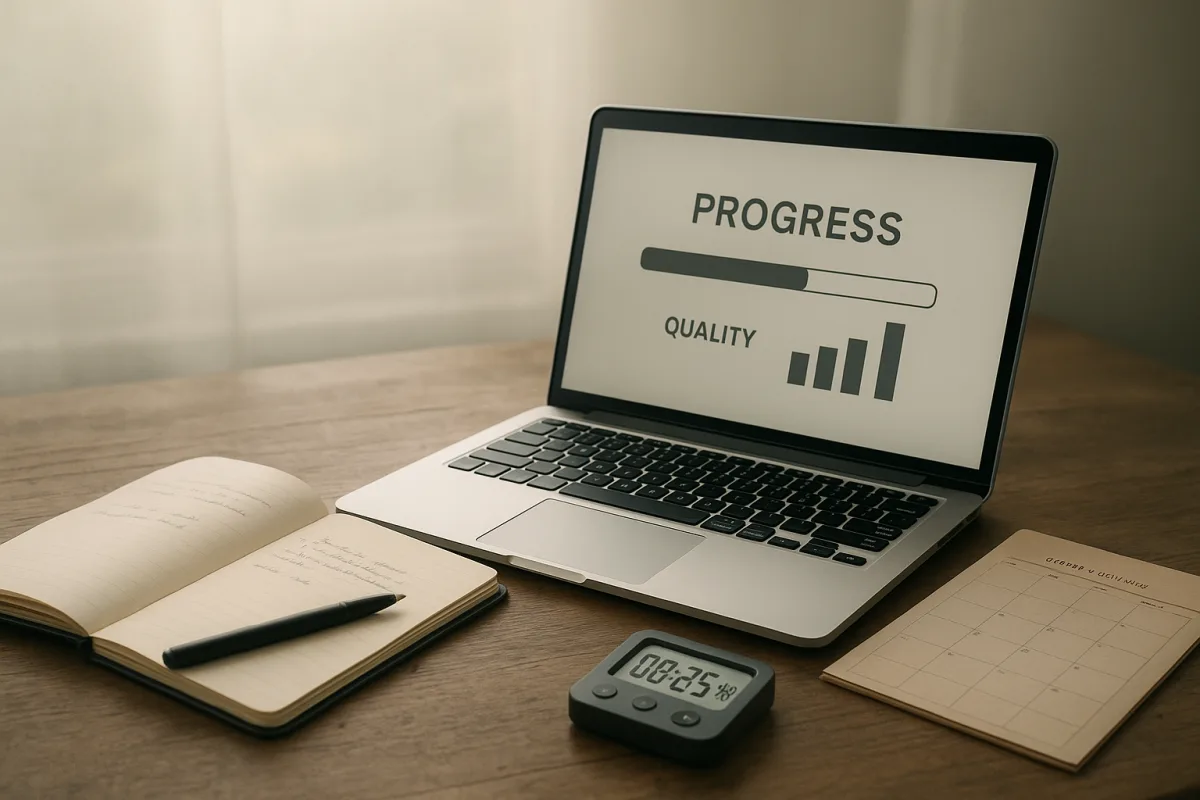
Start with the question you are trying to answer
The first problem is usually not choosing an app. It is deciding what “progress” means in the work you actually do. If the question is vague, the resulting dashboard will be precise-looking nonsense.
Write one sentence before you track anything: “By the end of this month, I need to know whether I am moving this piece of work forward at a sustainable pace.” Then name the work, the finish line, and the unit.
For a project manager, the unit might be approved milestones. For an administrator, it could be completed requests within an agreed service standard. For a writer, it may be publishable drafts, with editorial revision noted separately. [6][7]
DeskTrust’s 2026 framework includes measures such as output per active hour, cycle time, first-pass quality, throughput consistency, focus blocks, and context switching. That is a useful menu, not a scorecard you are obliged to fill. [1]
A real week does not leave room for maintaining fifteen metrics. The two measures worth keeping are usually one measure of work moving through the system and one measure of whether it was good enough.
Define the unit before you count it
“Tasks completed” only works when a task means roughly the same thing each time. If one task is replying to a routine request and another is resolving a difficult client problem, the total tells you very little.
Break work into categories that share a reasonable level of effort. For example, a support worker might distinguish routine requests, complex cases, and follow-up work. Record completions by category rather than adding everything into one flattering total. [6][13]
For project work, measure progress against defined deliverables or milestones, not the percentage of the calendar that has passed. A project can consume 80 percent of its time while producing little usable progress. [7]
Use a denominator that makes the number interpretable. “Ten completed requests” is not a productivity measure by itself. “Ten completed standard requests in four focused hours, with no reopened cases” is much more useful.
This does not mean every part of work needs a numerical value. It means the part you choose to count needs a stable definition. Work Stack Lab identifies undefined denominators as a major measurement error, because the apparent trend may simply reflect changing definitions. [13]
Keep the definition in the same place as the log. A one-line note is enough: “Complex cases require investigation or more than one external contact.” Without that note, next month’s numbers may not be comparable with this month’s.
Do not use visible activity as your main measure
Mouse movement, keystrokes, screen time, and “active” status can tell you that a computer was in use. They do not tell you whether a useful decision was made, a difficult problem was solved, or a deliverable became better.
This matters because activity tracking can push people toward performative work. The research brief notes criticism of these measures and reports that monitored employees may create busy work to look productive, rather than doing the work that matters. [9]
Use activity data, if you use it at all, as a prompt for a question. A high context-switch rate might lead you to ask whether your work is fragmented. It should not become evidence that you had a bad day. [1]
The same caution applies to idle time. DeskTrust includes related measures, but the briefing identifies idle ratio as a weak standalone indicator. Reading, thinking, sketching, or waiting for a decision can all look idle in a log. [1]
A workable rule is simple: never make a judgment from an activity metric unless you can pair it with an output or quality measure. If neither changed, the activity figure does not explain much.
Track time only when time answers a useful question
Time tracking is worthwhile when you need to estimate work, bill accurately, protect focus time, or discover where a recurring process is getting stuck. It is less useful when it becomes a daily referendum on whether you worked hard enough.
If you track time, assign it to a small set of work categories before the week begins. Five to seven categories are usually more maintainable than a detailed taxonomy, and they make later review possible without extensive cleanup.
Record time at the point of work, or use an automatic tracker that lets you review and correct its categories. Delayed reconstruction is a known source of inaccurate timesheets, including missed short tasks and inflated estimates. [8][9]
The briefing reports that AI-assisted tracking tools can reduce manual input substantially, and cites claimed gains in recovered billable hours and billing accuracy. Those are tool and case-study claims, not proof that automated tracking improves every kind of work. [2]
Automatic capture also raises a trust question. The research brief notes that Rize avoids screenshots and keylogging, which is a meaningful design choice when tracking is used by employees rather than by an individual tracking their own work. [2]
Before adopting any tracker, decide what it will not collect. If the tool requires surveillance-level detail to produce a number you do not trust, it is probably the wrong measure.
Add a quality check before celebrating throughput
Throughput without quality is how a person can look efficient while generating rework. DeskTrust’s first-pass quality rate is useful because it asks whether work was accepted or needed significant correction the first time. [1]
Choose one quality signal that fits the job. It could be reopened support cases, revision rounds, error corrections, stakeholder approval, or the proportion of work that clears review without substantial changes.
Do not turn quality into an elaborate audit. Once a week, mark each completed item as accepted, reworked, or still awaiting review. That provides enough context to spot whether faster completion is actually creating more work later.
For administrative work, defined performance measures can combine volume, timeliness, and accuracy. A payroll team, for example, should not treat more transactions as better if error rates or correction requests rise. [6]
Creative work needs more caution. The briefing’s cited 2026 research on creative industries argues that output volume misses complexity and deep cognitive work, which may occupy 30 to 40 percent of time. [5]
For creative work, keep a complexity label alongside output: routine, standard, or complex. Then review similar work together. Three routine social posts and one deeply researched strategy document should not be forced into the same unit.
Put a note beside numbers that changed
A number without context is an invitation to make up a story. When output falls, record a short reason while you still remember it: “two days waiting for approval,” “new process,” “complex client issue,” or “time spent correcting prior work.”
This is not a diary. It is a way to distinguish a process problem from a normal variation in work. Timechamp’s guidance on tracking mistakes warns against reading low numbers in isolation and overlooking short or unrecorded tasks. [9]
Use a three-column weekly review: completed work, quality signal, and context note. Look for repeated patterns over several weeks, rather than treating one lower week as a failure of effort.
If cycle time rises while quality remains stable, inspect waiting stages, handoffs, and unclear inputs. If output rises while rework rises too, the likely problem is not focus. It may be rushed requirements or a broken review process. [1][7]
Review weekly, not every hour
A daily glance can help correct forgotten time entries. A weekly review is better for interpreting progress, because many knowledge-work tasks take several days and contain unavoidable waiting, research, or feedback cycles.
There is no direct, productivity-specific evidence establishing the ideal number or duration of measurement sessions. The briefing draws only cautious inferences from ecological momentary assessment and usability research, where too many prompts can create fatigue and worse data. [3][4]
A practical starting point is one brief end-of-day update, limited to correcting categories and noting exceptions, followed by a 20-minute weekly review. That schedule is an operational suggestion, not a research-backed optimum.
During the weekly review, ask three questions: What moved? What had to be redone? What slowed work for reasons outside my control? Those questions keep the system aimed at improvement rather than self-surveillance.
Change only one part of the system at a time. If you alter task definitions, tracking categories, and your work routine simultaneously, the next month’s data will not tell you what caused the result.
Choose tools based on the friction you can tolerate
The research brief identifies free versions of Microsoft Teams, Clockify, and Focusmate as viable options for individuals and small teams. Their free plans cost $0, though the supplied research does not provide a comparable feature-by-feature or paid-price analysis. [12]
Microsoft Teams suits work that already happens in team conversations and meetings, where progress updates can live near the work. It is not a specialist individual time-tracking system, so do not expect it to produce detailed effort data by itself. [12]
Clockify suits people who need straightforward project and task time entries, especially where a weekly time record matters. Its usefulness depends on timely entries, so it is a poor fit if manual logging is the part you consistently abandon. [12][8]
Focusmate suits people who need a scheduled accountability session to begin a task. It can support a focus-block count, but it does not measure the quality or importance of what happened during the session. [1][12]
Rize suits people seeking automated time categorisation with stated privacy safeguards against screenshots and keylogging. The supplied briefing does not give a price, so do not assume its paid plan is cost-effective for your needs without checking current terms. [2]
Timecamp also suits automated or assisted time tracking, particularly where reducing manual input is the goal. The research brief gives no price or direct cost-effectiveness comparison, so its suitability is about workflow fit, not a proven financial case. [2]
Flag these assumptions before you compare yourself with others
Benchmarks imported from another team, country, or industry can be misleading. The OECD’s productivity work and research on regional culture and innovation both support caution about treating productivity figures as universally comparable. [10][11][14]
This is especially relevant for distributed teams. Local norms around working time, approval processes, language, infrastructure, and job design can affect cycle times without saying anything about an individual’s capability.
The recommendation to use weekly review, a short daily correction, and complexity labels is a practical starting system, not an established universal standard. Direct evidence for ideal measurement frequency, duration, and cross-industry comparison remains limited. [3][4][5]
Finally, do not use a productivity log to diagnose persistent exhaustion, concentration problems, low mood, or disrupted sleep. Those can affect work, but they are health questions for a doctor or qualified clinician, not variables to optimise in a spreadsheet.
Frequently Asked Questions
How can I measure productivity without relying on activity tracking?
Productivity should be measured by completed, useful work against a clearly defined unit rather than by mouse movement, keystrokes, or screen time. These activity metrics only show computer use and do not indicate meaningful progress or quality, often encouraging performative work instead of real outcomes.
What are the best metrics to track productivity for knowledge workers?
The most useful metrics are progress through work and quality of that work, supported by a short note when unexpected changes occur. DeskTrust’s framework suggests measures like output per active hour, cycle time, first-pass quality, throughput consistency, focus blocks, and context switching, but typically only two core metrics—one for work movement and one for quality—are practical to maintain.
How often should productivity be reviewed for accurate measurement?
Productivity measures should be reviewed weekly rather than continuously. Excessive tracking can reduce compliance and data quality, and there is no direct evidence supporting more frequent measurement as beneficial for knowledge workers.
How do I define units of work to measure productivity effectively?
Define units so that each represents a consistent level of effort and meaning. For example, categorize work into routine requests, complex cases, or follow-ups, and measure completions by category rather than lumping all tasks together. Always keep the unit definition stable and documented to ensure comparability over time.
When is time tracking useful for measuring productivity?
Time tracking is useful when combined with work output, especially if done automatically or immediately after a work block to avoid errors from delayed manual entry. AI-driven tools can improve accuracy and reduce manual input, but time tracking alone does not capture work quality or progress.
How we researched this
This article was assembled from 14 cited references.
Nothing here is based on hands-on testing. Where a figure or finding appears, it belongs to the source cited beside it, and the writing says so rather than implying otherwise. Every source is listed below so you can check it.
Sources
- 15 Employee Productivity KPIs to Track in 2026 | DeskTrust
- Best Time Tracking Software 2026 | ERP Stack Hub
- Observation Frequency: How Many Daily Rounds Do You Really Need
- How Long Should a Focus Session Be? The Science Behind Session Length — Progressive Pomo
- Productivity Measurement | Zingularity
- Identifying Performance Measures for Administrative Functions, Personnel, and Budgeting - Clear Impact
- How to Measure Project Progress Accurately | Kleios Guides
- Time Tracking Accuracy: Fix Errors & Improve Results
- 6 Common Productivity Tracking Mistakes to Avoid in 2026
- RICS Construction Productivity Report 2026
- Frontiers | Scale, culture, and innovation in agricultural green total factor productivity: evidence from China's Yellow River Basin
- Best Free Productivity Tools in 2026 | Toolradar
- Six productivity measurement errors, from undefined denominators to imported benchmarks · Work Stack Lab
- Cultural and innovation pathways to productivity in Romania’s Trans-Balkan regions | Economia Politica | Springer Nature Link
Related Articles
Effective Delegation Strategies for Better Team Productivity
Learn effective delegation strategies including assignment contracts, check-ins, and matching tasks to capacity for improved productivity.
How to Prioritize Tasks Effectively for Better Productivity
Learn how to prioritize tasks effectively using proven methods like the Eisenhower Matrix and impact scoring to boost your productivity.
How to Use Affirmations for Productivity Effectively
Learn how to use affirmations for productivity with believable, task-specific statements that boost focus and help you start work.

Visualization for Productivity
Learn how to use visualization for productivity with process-focused mental rehearsal to boost motivation and prepare for work tasks effectively.