
Best Environment for Productivity: Key Workspace Conditions
Discover the best environment for productivity with tips on lighting, noise, ergonomics, and temperature to optimize your workspace.
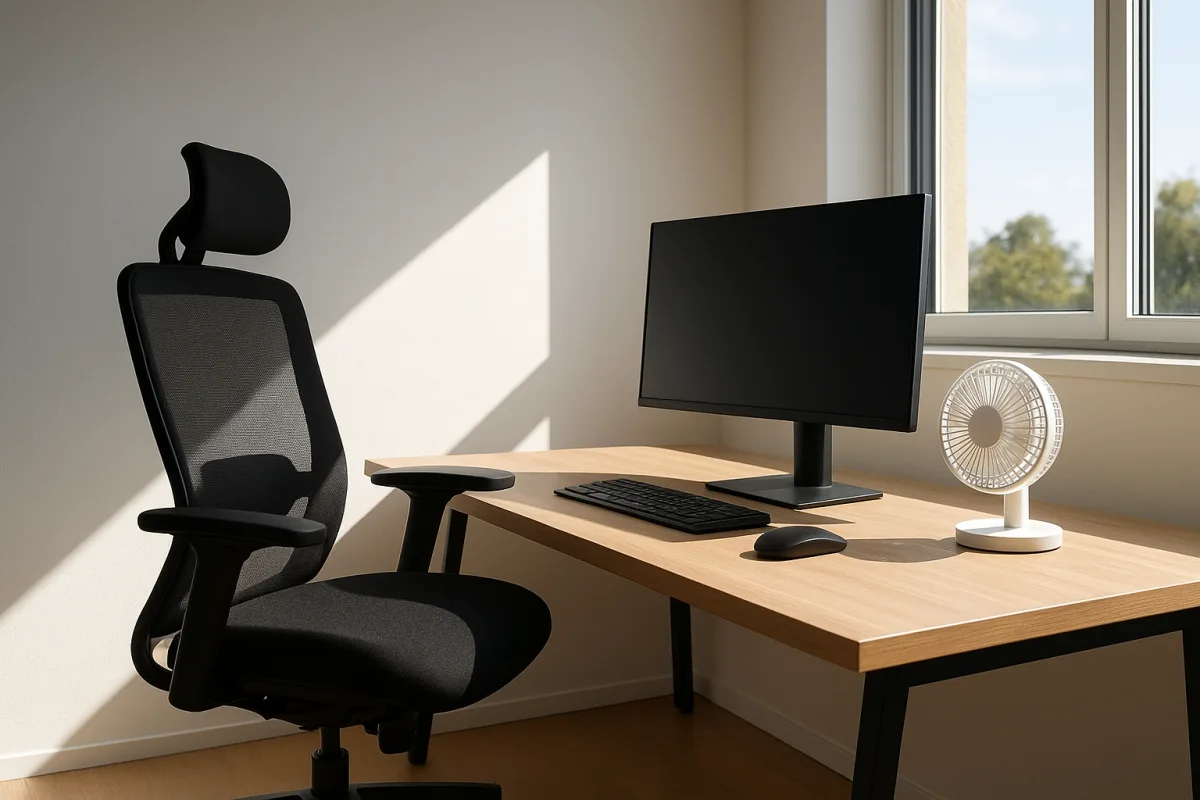
The productive workspace is an adjustable system
The best environment for productivity is not a particular aesthetic, room size, or shopping list. It is a workspace that lets you keep a few physical conditions within a workable range while your tasks, daylight, household noise, and body position change.
That sounds less satisfying than being told to buy a walnut desk beside a window. It is also more useful. A real week includes video calls, dark mornings, noisy neighbors, long writing sessions, and tasks requiring either close attention or broad visual work.
The central idea is adjustment. A desk setup works when it gives you ways to correct the things that pull attention away from the work: glare, speech, awkward reach, a screen that sits too low, or a room that gets stuffy and warm.
This is not a claim that workspace design cures concentration problems, low mood, poor sleep, pain, or anxiety. Those can have medical causes and deserve a conversation with a clinician, not another attempt to optimize a lamp or playlist.
Start with the task surface, not the room
Most focus work happens within a small visual and physical area: the screen, keyboard, chair, notes, and the light falling on them. Optimizing that zone first is cheaper and usually more controllable than trying to redesign an entire room.
Lighting guidance commonly distinguishes ambient light, which makes the room usable, from task light, which illuminates the actual desk. Recommendations cluster around 300-500 lux for ambient light and 500-1000 lux at the task surface. [1][3]
Lux is simply the amount of light landing on a surface. A bright ceiling fixture may make a room feel well lit while still leaving the desk comparatively dim, especially if your body or monitor casts a shadow across paper.
Layered light addresses that problem. Use broader room lighting to reduce harsh contrast, then add a desk lamp or directed fixture for reading, handwriting, or detailed visual work. The point is not maximum brightness, but enough even light without reflections. [1][3]
For artificial light, sources commonly recommend neutral white around 3500-4500K or cool white around 4000-5000K for workspaces. [1][2] Kelvin describes the appearance of the light, from warmer yellowish tones at lower numbers to bluer white tones at higher ones.
There is no universally best color temperature, however. A cooler lamp may feel alerting for spreadsheet work and sterile for long reading. Neutral light is often a reasonable starting point because it is less extreme, but comfort and task type decide the final setting. [2][3]
Color rendering matters mainly when you need to judge colors accurately, such as working with printed materials, images, fabric, or physical products. A color rendering index, or CRI, of at least 90 is commonly recommended for that purpose. [1][3]
For ordinary document work, a high-CRI lamp can still be pleasant, but it is not the first problem to solve. Glare, insufficient task light, and a monitor facing a bright window are more likely to disrupt a routine than subtle color inaccuracy.
A practical setup is to put daylight to the side of the screen rather than directly behind or in front of it. Then use a shaded task lamp from the opposite side of your writing hand, angled to light the desk rather than shine into your eyes.
We found no published precise rules for changing lighting by season or geography. If winter mornings are darker, you may need more artificial light earlier in the day, but there is no quantified formula for the ideal seasonal adjustment. [1][2]
Noise is mostly a problem of intelligible speech
The useful noise question is not whether a room is silent. It is whether the sound around you keeps demanding language processing. Nearby conversation, television dialogue, and songs with familiar lyrics compete unusually well with reading, writing, and planning.
Guidance points to roughly 45 dBA as a useful indoor ambient-noise target. [4][5] Decibels are logarithmic, so this is not a casual number to judge by ear, but it describes a relatively quiet indoor setting rather than silence.
If you can understand a colleague’s conversation word for word, it is probably not background sound anymore. That is the point at which closing a door, moving rooms, using headphones, or changing your schedule may beat any attempt to concentrate harder.
Steady, low-level sound can help by masking intermittent noise. White noise, brown noise, or some nature sounds are commonly suggested because they are predictable and contain no words to follow. [4][5] Their benefit is primarily masking, not mental enhancement.
This distinction matters because background audio is not a general focus drug. Some people work better in silence, and effectiveness varies by task duration and the person listening. The research base is also limited on long-term cognitive effects of different sound types. [4][5]
Try sound as a controlled convenience, not an identity. Use the same low-volume track or noise setting for a few comparable sessions, then stop if it becomes another thing you notice. Avoid lyrics for work involving language, which includes most desk work.
The expensive mistake here is treating headphones as the whole solution. They can mask an unpredictable environment, but they do not fix a recurring source of speech noise, nor do they make lengthy calls or meetings more comfortable for the people sharing your space.
Ergonomics is fitting, not furniture ownership
Ergonomic specifications are often presented as though every adult should occupy the same geometry. They are better understood as adjustment ranges that help the desk fit a particular person, their keyboard, their screen, and the task they repeat all day.
A standard desk height is about 29-30 inches, or 74-76 cm. Common guidance suggests a work surface 48-55 inches wide and 24-30 inches deep, enough to place a monitor at a workable distance and keep keyboard, mouse, and notes reachable. [9]
Those measurements can be sensible starting points, but an adjustable chair is usually more important than matching a desk specification exactly. Recommended chair adjustment includes a 16-21 inch seat-height range, lumbar support, and a backrest that reclines approximately 100-110 degrees. [9]
Monitor height is the recurring failure point. A low laptop screen encourages a bent neck, while a monitor placed too far away leads people to lean forward. Workspace guides repeatedly list incorrect monitor position and poor ergonomics among the everyday setup mistakes. [9][12][15]
The workable sequence is straightforward. Adjust chair height so your feet are supported, place the keyboard where shoulders can stay relaxed, then raise or lower the display so you are not repeatedly craning down. A laptop stand and separate keyboard can help.
Do not assume a standing desk fixes this. Standing can provide position changes, but a badly placed monitor, an overextended keyboard reach, or a chair without support remains badly placed whether you are sitting or upright. Adjustment is the actual feature.
Furniture prices make this easier to see. The Branch Ergonomic Chair costs $359 and suits someone who needs mainstream chair adjustability without entering premium-chair pricing. [10] Its price is for the chair, not delivery, assembly, or any wider office changes.
The Herman Miller Aeron is listed at $1,750 and suits buyers who specifically want a premium, highly adjustable task chair and accept the price. [9] That sticker price does not establish a proportional productivity gain over a cheaper chair.
At the desk end, the FlexiSpot EN2 is listed at $220 and suits a lower-cost route to an adjustable-height desk. [10] The UPLIFT V3, listed at $599, suits buyers seeking a more expensive adjustable desk option. [10]
Those figures are product prices, not the cost of a complete workspace. They do not necessarily include delivery, assembly, cable management, monitor arms, lighting, a laptop stand, or replacement technology. There are no direct studies comparing ergonomic product costs with resulting productivity gains.
That gap should affect how you buy. If your chair does not adjust high enough or your screen is visibly too low, spending on correction is rational. If your setup already fits, a premium upgrade may improve comfort without producing a measurable work output change.
Temperature is a constraint, not a performance hack
Temperature is another condition where a narrow practical range is more useful than a grand theory. The common target range for office productivity is 20-22°C, or 68-72°F. [6][7]
Performance appears stable up to about 25°C, or 77°F, then declines by roughly 2% for each additional degree Celsius in warmer conditions. [6][7] That is a population-level finding, not a guarantee that every person works best at precisely 21°C.
Some evidence suggests slightly cooler rooms may improve focus for some people, but the result is not definitive. [6][8] Start in the 20-22°C range if you control the thermostat, then make modest changes based on comfort and the work being done.
The more ordinary problem is uneven temperature. A desk beside direct sun, a radiator, air-conditioning vent, or drafty window can create a local environment unlike the thermostat reading. Move the desk or redirect airflow before deciding that the entire room needs adjustment.
There is little quantified evidence for how regional climate or season should alter the ideal workspace temperature. [6][8] General advice can help, such as blocking glare in summer or adding task light in winter, but the precise targets are not established.
Remove friction before adding accessories
Clutter, unreliable technology, overcrowding, inadequate lighting, and excessive noise are repeatedly identified as productivity-draining workspace problems. [11][12][14][15] They matter because they create small interruptions, not because a tidy desk is morally superior.
A useful desk layout keeps frequently used items inside easy reach and removes items that make you search, shift piles, or unplug something before starting. This is less about minimalism than making the next action obvious when you sit down.
Technology deserves the same treatment. A slow dock, missing charger, unreliable internet connection, or cable that makes you avoid moving your laptop can undo the benefits of carefully chosen furniture. Reporting on workplace technology has linked clunky systems to disrupted meetings and frustration. [14]
The environment worth aiming for is therefore fairly plain. You should be able to see the work without glare, hear little intelligible speech, sit or stand in a position you can adjust, and change conditions when the room shifts around you.
That is not transformation. It is a reduction in avoidable negotiations with your surroundings, leaving more of the working day for the task that brought you to the desk.
Frequently Asked Questions
What is the best environment for productivity?
The best productive environment is an adjustable workspace that maintains adequate light, low speech noise, proper chair and monitor positioning, and a room temperature near 20-22°C. It should allow you to adapt to changing tasks, daylight, and noise rather than rely on a fixed “perfect” setup.
How does lighting affect productivity at work?
Lighting should combine ambient light (300-500 lux) and task light (500-1000 lux) to avoid glare and shadows on your work surface. Neutral white (3500-4500K) or cool white (4000-5000K) light is generally recommended, but the ideal color temperature depends on the task and personal comfort.
What temperature is ideal for a productive workspace?
A room temperature of about 20-22°C (68-72°F) supports peak productivity. Performance remains stable up to 25°C (77°F) but declines by approximately 2% for each degree above that.
How can I adjust my workspace to improve focus?
Focus improves by fixing monitor height and chair adjustments first to support posture, then adding layered lighting to reduce glare and shadows. Controlling background noise and keeping the workspace free of clutter also help maintain attention.
What role does noise play in workplace productivity?
Low speech noise is important since it distracts attention. Background sounds like brown or white noise can mask distractions if kept at a low, unobtrusive volume, but preferences vary by individual and task type. Avoid speech or music with lyrics when trying to focus.
How we researched this
This article was assembled from 15 cited references.
Nothing here is based on hands-on testing. Where a figure or finding appears, it belongs to the source cited beside it, and the writing says so rather than implying otherwise. Every source is listed below so you can check it.
Sources
- Workspace Lighting Guide 2026: Illuminate Your Productivity | SupplyWise
- Best Lighting for Deep Work: Office Lighting Setup for Focus | Standesk
- Workspace Lighting: How to Design Lighting That Helps You Focus, Deskfully Studio
- The Best Sounds for Focus and Concentration (2026) | MindTime
- How to Use Background Noise for Focus and Study | Findnoise
- What Is the Scientifically Proven Ideal Temperature for Office Productivity? - Improve Workspace
- The effects of temperature on work performance in the typical office environment: A meta-analysis of the current evidence - ScienceDirect
- How Temperature and Humidity Affect Office Productivity | HBM
- The Complete Ergonomic Workspace Setup Guide (2026) | PostureRanked
- Best Budget Workspace Setup 2026: High-Performance Gear Under $750
- Desk Layout & Productivity: Improve Workplace Efficiency
- 6 Desk Layout Mistakes That Reduce Daily Productivity - Slummy single mummy
- Home Office Furniture Setup: Comfort & Productivity
- Clunky workplace tech is ruining meetings and impacting productivity
- Common Workspace Problems That Reduce Employee Productivity (And How to Fix Them)
Related Articles
Productive Workspace Setup
Learn how to set up a productive workspace with ergonomic desk and chair fit, proper lighting, and sound control for better focus and efficiency.
How to Do Deep Work: Focused Productivity Explained
Learn how to do deep work with practical steps, session lengths, and focus strategies to boost productivity through distraction-free concentration.
How to Use Affirmations for Productivity Effectively
Learn how to use affirmations for productivity with believable, task-specific statements that boost focus and help you start work.

Visualization for Productivity
Learn how to use visualization for productivity with process-focused mental rehearsal to boost motivation and prepare for work tasks effectively.