
Manage Work-Life Balance
Learn how to manage work-life balance with clear boundaries, dedicated spaces, and focused work hours for better productivity and personal time.
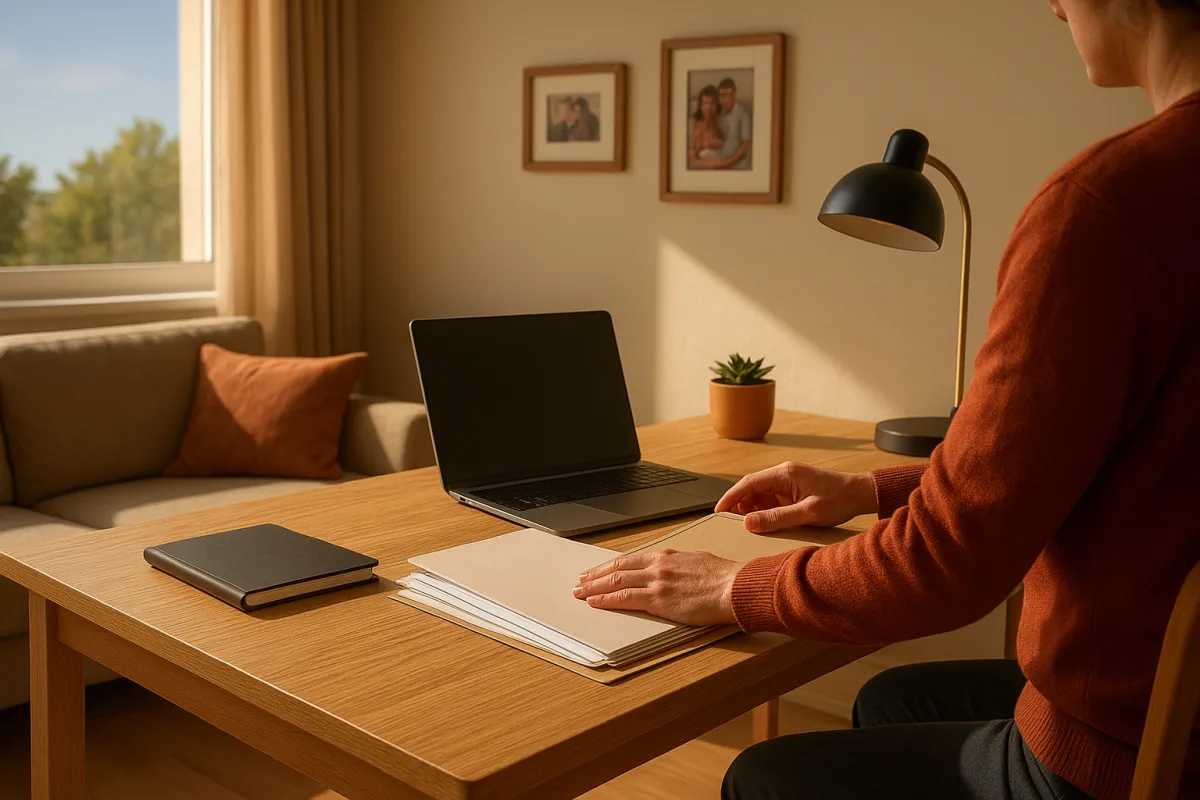
How to maintain separation between work and personal life
The first problem: work starts before you have decided it has started
Work-life separation usually fails early, not late. You check email while making breakfast, answer one “quick” message, and discover that you are mentally at work before the day has any shape.
The useful boundary is not a heroic vow never to look at a notification. It is a stated opening time, visible to you and, where possible, to colleagues. Put it in your calendar and status message.
If your role permits it, use a short opening routine that produces a clear first task: review today’s commitments, choose the one piece of focused work, then close the inbox. The point is sequence, not ceremony.
This matters especially for remote workers. Gallup reports that hybrid employees average 2.8 remote days a week, so many people now switch repeatedly between home and office routines instead of relying on a daily commute. [8]
An office commute can consume personal time, but it also supplies a transition that remote work removes. Remote schedules can be flexible, while the worker has to create the boundary that the building once provided. [9]
Give work a container, not unlimited access to the day
Start with two times: when you are normally reachable and when you normally stop. Then identify the exceptions your job genuinely requires, such as an on-call rota or an international client meeting.
Do not call every late request urgent. If a colleague needs an answer after your stated finish, ask whether it needs action now, tomorrow morning, or escalation to someone assigned to cover it.
A weekly capacity check is more useful than judging yourself by a single intense day. The available guidance puts productive deep work at roughly four to six hours daily, while total working time commonly includes meetings and administrative tasks. [1]
That distinction prevents a familiar mistake: treating eight hours at a desk as eight hours of high-concentration output. Plan demanding analysis, writing, or problem-solving for the limited period when you can actually attend to it.
Watch the weekly total as well. Work beyond 50 hours a week is associated with lower productivity and more errors, according to Calculatorr’s work-life balance guidance. [2] That is a warning sign, not a productivity target to manage more cleverly.
If the work cannot fit into agreed hours for several weeks running, the fix may be workload, staffing, deadlines, or expectations. A better task app cannot solve a job designed to overflow.
The next problem: your work is always visible at home
A dedicated office is helpful, but it is not the only workable arrangement. The useful principle is consistency: work in the same place, and make that place look meaningfully different from the rest of home life.
Livingetc recommends a wall-facing arrangement for home work, alongside reducing visual clutter and creating a more intentional work zone. [6] Facing a wall is not magic, but it limits the constant visual pull of chores and household activity.
In a shared room, use what is available: a room divider, a particular chair, a desk lamp used only for work, or a storage box that comes out at the start and disappears at the finish. Grow Office’s shared-space guidance similarly emphasizes defined, consistent zones. [7]
There is no research-backed minimum distance between a desk and a sofa, bed, or kitchen table. Claims that you need a certain number of feet or a separate room are invented precision, not an established standard.
The real test is practical. Can you sit down and know what mode you are in? At the end of work, can someone else use the space without seeing your unfinished tasks spread across it?
Natural light, a decluttered surface, and a small amount of personalization are common home-office recommendations from Ideal Home. [16] Keep personal items modest enough that the space remains usable for work, rather than trying to make it sterile.
A basic home-office setup is often estimated at $450 to $800, while a more fully equipped arrangement can run from $1,600 to $2,500 or more, depending on the chair, desk, monitor, keyboard, lighting, and headphones chosen. [16]
Those are equipment estimates, not a complete cost of working from home. They do not reliably include software subscriptions, repairs, utility bills, or the cost of converting a room, so do not use them as a promise of a final total.
When people share your home, negotiate interruptions before they happen
The difficult part of a shared home is rarely noise alone. It is ambiguity. Other people cannot tell whether you are concentrating, casually answering messages, or technically free but trying to finish something.
Use a simple signal that everyone understands. A closed door may work. In an open-plan home, headphones, a desk lamp, or a written block on a shared calendar may be clearer than repeatedly saying “I’m working.”
Then make the signal realistic. Mark the periods when interruption would genuinely be costly, such as a client call or 90 minutes of writing. Do not try to declare every minute at home protected territory.
Psychology Today notes the strain involved in shifting between work and family roles. [13] Overly rigid separation can add stress when family life has legitimate demands, so build in transition periods rather than expecting perfect isolation.
For example, take ten minutes after a meeting block to check in with a partner, collect a child, or deal with a household task. This is not lost productivity if it prevents those demands from arriving as resentful interruptions later.
Your attention will fade before the workday ends
Break advice is unusually confident for something with no single agreed answer. Pomodoro-style work uses 25-minute focus periods followed by five-minute breaks, while DeskTime’s popular rule is 52 minutes working and 17 resting. [5]
Another approach uses ultradian cycles: roughly 90 minutes of effort followed by 15 to 20 minutes away from the task. Microbreak guidance is smaller still, suggesting 20 to 30 seconds every 20 to 30 minutes. [4][5]
Use one pattern for a week, then assess it against the work you actually do. Twenty-five minutes may suit an unpleasant administrative task; it can be disruptive when you are editing a complex document or analyzing data.
The minimum useful break is one that changes your input. Stand up, get water, look away from the screen, or walk to another room. Scrolling work chat during a scheduled break does not create much separation.
Do not use break schedules to diagnose exhaustion, persistent low mood, insomnia, or concentration problems. Adults generally need seven to nine hours of sleep, but ongoing sleep or mood concerns belong with a doctor, not a more elaborate work routine. [3]
The hardest moment is the end of the day
Ending work needs an action, not just an intention. Write down the next task, note anything waiting for a reply, close the relevant documents, and put the computer away or cover the work surface.
This closing step is worth keeping because it handles tomorrow’s anxiety without requiring you to keep working. You are not trying to remember everything overnight, and you are not leaving an open screen as an invitation to return.
Growworking identifies unclear hours and the lack of a dedicated workspace as common remote-work boundary problems. [14] A shutdown routine addresses both by making the end visible, even when your desk is three steps from the kitchen.
If you use one device for work and personal life, separate the accounts, browsers, or profiles. Remove work email and chat from the personal profile if your employer’s policies allow it, rather than relying on willpower around badges and notifications.
Tell colleagues what happens after your finish time. A useful status message says when you will respond and gives the route for genuine emergencies. It is more specific than “offline” and less confrontational than silently disappearing.
After-hours expectations are an organisational problem too
Personal boundaries do not operate in a vacuum. Metaintro reported that 33 percent of US knowledge workers attended after-hours meetings in 2025, a 43 percent year-on-year increase. [10]
In the UK, ITPro reported that 49 percent of employees felt substantial pressure to remain reachable. [11] In that environment, an individual who simply stops replying may be doing the right thing, but may also need managerial backing.
South Korea offers a different example, with a regulated 52-hour weekly maximum described by Korea Kickstart. [12] A legal limit does not guarantee a calm work culture, but it shows that norms about availability are regional and changeable.
If your team schedules across time zones, ask for a rotating inconvenience rather than allowing the same people to absorb every early or late meeting. Put the rotation in writing, including who covers urgent issues.
Time’s stress-management guidance includes setting boundaries and taking restorative time seriously. [15] At work, that becomes concrete when managers avoid sending non-urgent requests late, define response expectations, and model delayed replies themselves.
The two systems that tend to survive a normal week are modest: a start-and-shutdown routine, and a work zone that can be visibly opened and closed. Add break timing only after those foundations work, because no interval method can compensate for a job with no endpoint.
Frequently Asked Questions
How can I set clear work-life boundaries when working from home?
Set a visible start and finish time for your workday and communicate these hours to colleagues if possible. Treat messages outside this window as exceptions rather than a continuation of your workday. Using a short opening routine to begin focused work can help mark the start of your workday mentally.
What are effective ways to separate work and personal life?
Reserve a consistent work location at home and change the visual scene when work ends by closing your laptop or putting away work materials. Use physical or visual cues like a room divider or a specific chair to create a defined work zone, especially in shared spaces. Planning work hours and breaks also supports clearer separation.
How many hours of focused work are optimal for work-life balance?
Research suggests that four to six hours of concentrated deep work per day is optimal for productivity and mental health. Total work hours often exceed this due to meetings and administrative tasks, but working beyond 50 hours per week is linked to reduced productivity and increased errors.
How do I create a dedicated work space at home to improve work-life balance?
Choose a consistent spot for work, ideally facing a wall to reduce distractions and visual clutter. In shared rooms, use items like room dividers, desk lamps, or storage boxes to define your workspace and signal when work starts and ends. The key is consistency and making the work area visually distinct from personal spaces.
How can I negotiate interruptions in a shared home to maintain work-life balance?
While the article does not provide specific negotiation strategies, it recommends using physical or visual boundaries like room dividers and dedicated work zones to reduce interruptions. Clearly signaling your work hours and workspace boundaries can help others understand when you need focused time.
How we researched this
This article was assembled from 16 cited references.
Nothing here is based on hands-on testing. Where a figure or finding appears, it belongs to the source cited beside it, and the writing says so rather than implying otherwise. Every source is listed below so you can check it.
Sources
- Optimal Work Hours Per Day: What Research Says About Productivity & Burnout - Zentrego
- Work-Life Balance Calculator - Assess & Improve Your Daily Balance
- How to Measure Work-Life Balance: The Data-Driven Method That Works | Constavita
- Ultradian Rhythms: Use 90-Minute Fo... (2026) | The Productivity Show - WisdomAI
- How Often Should You Take Breaks at Work? - ScienceInsights
- People Who Face the Wall When Working at Home Probably Also Have These 3 Other WFH Habits
- Working from Home in Shared Spaces: Practical Productivity Solutions for Remote Workers - Grow Office
- Global Indicator: Hybrid Work - Gallup
- Frontiers | Rethinking return-to-office: the positive impact of remote work on well-being, connection, and employee retention
- The Infinite Workday Is Here: How After-Hours Meetings and AI Are Eroding Work-Life Balance in 2026 | Metaintro
- 'Many workers no longer feel there is a natural point where pressure eases or where they can properly switch off': 'Always on' culture is pushing Brits to breaking point - and nearly half are ready to quit
- Korean Work Culture 2026: A Quick Guide
- The Challenges of Switching Between Work and Family | Psychology Today
- How to separate personal life and remote work: the keys
- 6 Expert-Backed Ways To Manage Your Stress
- 16 home office layout ideas to boost productivity and create a comfortable work space
Related Articles
Reduce Work Stress: Effective Strategies for Lasting Relief
Learn how to reduce work stress with workload management, clear boundaries, and weekly planning conversations for lasting relief.
How to Do Deep Work: Focused Productivity Explained
Learn how to do deep work with practical steps, session lengths, and focus strategies to boost productivity through distraction-free concentration.
How to Stay Motivated at Work
Learn how to stay motivated at work with actionable tips on task design, mindset, breaks, and reframing meaning to boost your productivity.

Minimize Distractions at Work: Practical Strategies to Focus
Learn how to minimize distractions at work with practical tips on managing notifications, focus blocks, and communication for better productivity.