
Best Project Management Tools
Compare the best project management tools in 2026, focusing on ClickUp and monday.com to find the right fit for your team’s needs.
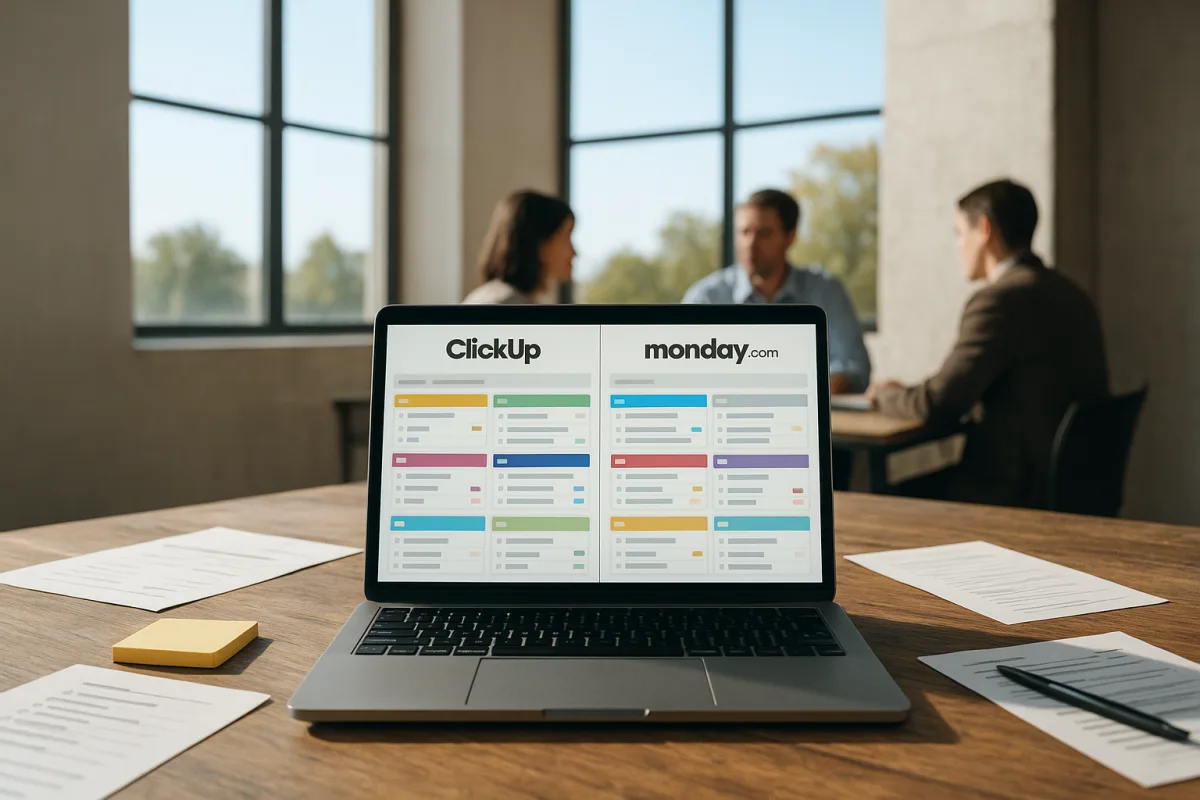
The decision: ClickUp or monday.com?
The choice here is between ClickUp and monday.com, two premium general-purpose project management platforms. Both can hold tasks, owners, due dates, project views, dashboards and automations. Both can become far more elaborate than a small team needs.
The practical difference is what each asks of the team every day. monday.com asks people to work visibly through structured boards and dashboards. ClickUp asks a team to decide, early, which parts of its broad workspace it will actually use.
That distinction matters more than a long feature checklist. A project tool earns its place when people can answer basic questions quickly: what is next, who owns it, what is blocked, and what needs attention this week.
Reported user ratings put both ClickUp and monday.com at 4.7 out of 5, among the strongest scores in the general project-management market. Ratings are useful signals of broad satisfaction, but they do not settle fit for a particular team. [1]
There is also no good independent evidence that either platform improves focus, habits or individual productivity by itself. Project software can make commitments visible and reduce duplicate status work. It cannot solve a team’s unclear priorities, overloaded workload or health concerns.
The field before narrowing the choice
The broader field is not short of options. ClickUp is premium-priced relative to entry-level tools, with a generous free tier reported to allow unlimited users but limited storage. It suits individuals and teams seeking an all-in-one workspace, including creative teams that value visual flexibility. [3][11]
Asana is also premium and suits marketing teams that need structured workflows without an especially complicated interface. monday.com is premium too, positioned for client-facing project work where polished, visual dashboards are part of the job. [21]
Notion is premium and best understood as a flexible workspace for knowledge-heavy teams. It can hold notes, documentation and project databases together, but that flexibility means the team must design more of its own working system. [21]
Linear is premium and purpose-built for software engineering teams. Its native GitHub connection and opinionated workflow make it a stronger candidate for product and engineering work than for a general marketing or operations department. [22]
At the entry level, Trello suits simple, card-based workflows and has a generous free tier. Zoho Projects also sits at the lower-cost end, offering reusable templates and multiple dependency types for teams that need more planning structure than a basic board. [9][21]
TeamGantt is another entry-level option, aimed at small teams that mainly need an accessible Gantt-chart tool. It is a better fit for schedule visibility than for organisations looking to centralise documents, requests, discussions and work reporting. [9]
Basecamp is mid-range and suits teams that prefer a flat-rate model and a deliberately straightforward project space. Wrike is premium and more suited to agencies, particularly those billing by the hour and needing robust oversight of client work. [11][21]
Smartsheet is premium and aimed at enterprise planning, including extensive integrations and more formal reporting needs. Its pricing is less transparent in the available research, which is a reason to request a real quote rather than extrapolate from a public plan page. [9]
The point of listing these alternatives is not to turn this into a shopping catalogue. It is to avoid the common mistake of making ClickUp or monday.com carry a job better served by a simpler board, a scheduling tool, or a sector-specific platform.
Construction teams should also look at Procore, while industrial organisations should assess InEight. The research brief finds specialist products outperform general-purpose tools in those domains, because their workflows and controls are not just generic tasks with different labels. [16][17]
Head-to-head comparison
| Criterion | ClickUp | monday.com |
|---|---|---|
| Best fit | Teams or individuals seeking one platform for tasks, documents, views and project administration | Client-facing and cross-functional teams needing visually legible boards and dashboards |
| Relative cost | Premium, but cheaper than monday.com in the reported per-user comparisons | Premium and a step up from ClickUp in the reported comparisons |
| Free starting point | Generous reported free tier with unlimited users, though storage is limited | Free options exist, but the brief does not support treating it as ClickUp’s equal on free-tier breadth |
| Daily working style | Choose among many views, fields, documents and automations, then maintain the conventions | Update a shared board with clear status signals, owners and dashboard reporting |
| Initial ramp-up | Reported to reach 80 percent task velocity in 21 days | Reported to reach 80 percent task velocity in nine days |
| Strength | Broad consolidation potential for teams otherwise using several disconnected tools | Fast, visual communication of project status, especially when clients or non-specialists need visibility |
| Main weakness | Feature breadth can create a longer learning curve and a cluttered workspace | Higher relative cost and less appeal for teams that want deeply configurable, all-in-one consolidation |
| Reporting and integrations | Strong scope, but more connections and features can require administration | Strong dashboards and client-friendly visibility, but reporting needs should be tested across several projects |
| Best avoided when | The team needs an almost zero-setup tool or will not agree on basic conventions | The main requirement is reducing software spend or replacing a sprawling set of internal tools |
| Implementation risk | Building too much before people establish a simple working routine | Treating polished dashboards as proof that underlying project data is accurate |
Cost: compare the operating model, not a stale sticker price
Both products are premium options, but ClickUp is the lower-cost choice in the available comparisons. monday.com costs more relative to ClickUp, which may be reasonable when its faster adoption and client-facing presentation reduce the amount of manual coordination required. [4][5]
ClickUp’s free tier is a meaningful advantage for a small team testing a shared system. The reported offer includes unlimited users and 100MB of storage, so it is useful for evaluating workflow habits, not necessarily for becoming the long-term home of large creative files. [3]
Neither platform should be assessed only by a subscription tier. The material cost is often the time spent agreeing on statuses, deciding where requests arrive, cleaning up old work and training people not to duplicate the same task in chat, email and the project tool.
Implementation can range from days or weeks for a relatively simple deployment to months for enterprise systems. The research supports that range generally, but does not provide a reliable onboarding-duration comparison specifically for ClickUp and monday.com. [18][19][20]
Ease of adoption: monday.com has the stronger case
The clearest comparative data point favours monday.com. It reportedly reaches 80 percent task velocity in nine days, compared with 21 days for ClickUp. Asana is faster still at three days, which is worth remembering for marketing teams deciding whether either finalist is actually necessary. [1]
That is not a clinical study of usability, and “task velocity” is not a complete measure of project outcomes. Still, it matches the basic design difference: monday.com puts visual boards and dashboards forward, while ClickUp gives teams more decisions to make.
For a team that needs a system running before a client project begins, fewer decisions can be a real benefit. A project manager can establish a limited set of columns, assign owners and show a dashboard without first teaching a large vocabulary of workspace features.
ClickUp is not inherently difficult, but it offers more ways to create a complicated setup. The daily discipline it requires is modest but specific: use a small set of task fields, agree on where work lives, and resist creating a new view for every preference.
That is why ClickUp often makes sense for a team already suffering from tool sprawl. It can consolidate several functions, but only if the team retires the duplicate spaces instead of adding ClickUp alongside them.
Planning, reporting and client visibility
monday.com is the better choice where the project board is also a communication object. Client-service teams, account managers and operations leads often need to present work to people who do not want to learn the internal system.
Its visual-first approach is the reason it is commonly recommended for client-facing work. [21] The caveat is that a neat dashboard can conceal weak project data. If task owners and dates are not maintained, the dashboard merely makes uncertainty look organised.
ClickUp is the better choice where the project space needs to absorb more of the team’s working material. Its all-in-one positioning suits a group that wants tasks alongside documents, different planning views and a shared operating hub. [3][11]
Both platforms offer the kinds of features now expected in this category, including multiple views, dashboards, integrations and automated reporting. Most tools also provide API access, but an integration available on paper is not the same as an integration worth maintaining. [10]
Reporting across projects remains a common weak point in popular project-management software. Before committing, build one live portfolio view from actual work, not a sales demonstration, and check whether it answers the questions managers ask every Friday. [26]
What breaks in a real week
Notification overload is a predictable failure mode in both tools and the wider category. A task update, comment, status change, automation and chat integration can all arrive as separate prompts, turning the project system into another inbox. [26]
A sensible first setup is intentionally boring: notifications for direct assignments and explicit mentions, a weekly project review, and no automation until a recurring manual action is genuinely understood. That is a workflow recommendation, not a proven productivity intervention.
AI features are increasingly present in project-management products. The research brief reports that 54 percent of users employ generative AI in 16 to 50 percent of projects, but it does not establish that those features improve project outcomes or save time. [15]
Treat AI summaries, draft updates and task suggestions as optional assistance. Do not purchase a platform mainly for them, and do not use them to make decisions that require current project context, client judgement or accountable human ownership.
Who each option suits
ClickUp
Choose ClickUp for a small or growing team, or an individual managing several streams of work, that genuinely wants one workspace rather than separate task, document and planning tools. Its relatively lower premium cost and broad free tier make a limited trial practical. [3][11]
It is particularly suitable when the team is willing to define a lightweight operating model: a few statuses, a named task owner, one source of deadlines and a restrained set of views. That early agreement is the price of its flexibility.
Avoid ClickUp if people need to start working with minimal setup, or if the organisation has a history of endlessly customising software. Its reported longer ramp-up suggests that feature breadth can delay value when nobody owns implementation. [1]
monday.com
Choose monday.com for agencies, client-service teams and cross-functional groups that need project status to be clear to non-specialists. Its visual-first approach and faster reported adoption make it the safer choice when the system must become legible quickly. [1][21]
It is also the better fit when dashboards are part of the work, not just an internal management preference. A client-facing project team can use the shared visual language to reduce status-meeting overhead, provided the underlying board is kept current.
Avoid monday.com when reducing relative software cost is the main goal, or when the central requirement is replacing a wide collection of internal tools with one highly configurable workspace. ClickUp is the stronger finalist for that consolidation job.
Neither choice should be made as a cure for poor sleep, persistent concentration problems or low mood. Those deserve medical support, not another dashboard. For project work, start with the narrower question: which tool makes the next commitment easier to see and maintain?
Frequently Asked Questions
What are the best project management tools for teams in 2026?
Top-rated tools in 2026 include monday.com and ClickUp, both scoring 4.7 out of 5 in user ratings. Other notable options are Smartsheet, Jira, and Asana. The best choice depends on team size, workflow needs, and industry, with specialist tools like Procore and InEight outperforming generalists in construction and industrial sectors.
How does ClickUp compare to monday.com for project management?
ClickUp offers a broad all-in-one workspace with a strong free tier and lower starting price but requires more time for setup and training. monday.com is easier to adopt, with polished dashboards suited for client-facing, cross-functional projects, though it comes at a higher subscription cost. Both have similar high user satisfaction but differ in daily workflow demands.
Which project management software offers the best dashboards?
monday.com is preferred when clear, visual dashboards and quick status overviews are a priority, especially for client-facing projects. It emphasizes structured boards and dashboards that make work visible and easy to track. ClickUp also supports dashboards but focuses more on customizable workspace consolidation.
What factors should I consider when choosing a project management tool?
Consider the team's daily workflow needs, ease of adoption, pricing, and whether the tool supports the required level of planning and documentation. Also assess if the tool fits the industry—specialized sectors like construction or industrial work often need dedicated software rather than general-purpose platforms. Implementation time and training requirements are important as well.
Are there project management tools suited for client-facing projects?
Yes, monday.com is specifically positioned for client-facing projects where polished, visual dashboards and cross-functional collaboration are important. Wrike is also suited for agencies that bill by the hour and require robust oversight of client work.
How we researched this
This article was assembled from 27 cited references.
Nothing here is based on hands-on testing. Where a figure or finding appears, it belongs to the source cited beside it, and the writing says so rather than implying otherwise. Every source is listed below so you can check it.
Sources
- Best Project Management Software 2026: Expert Rankings & Reviews | eAmped
- 10 Slack Integrations For Agile Workflows - Slack-First AI Answer Agent for Enterprises ∙ Question Base
- ClickUp Project Management Review: Features and Pricing
- Project Management pricing in 2026: what 9 tools actually charge · SaaS Dealer
- Project Management Software Pricing in 2026: What Leading Tools Cost | CostLoop
- Project Management Pricing 2026: Per-User vs $49 Flat | Thicket
- Project Management Pricing Compared 2026: All Tools at 5/10/25/50 Users | Sasanova
- 15 Best Project Management Tools (2026)
- I tested 3 project management tools for remote teams - there was one clear winner
- What Features Matter in Project Management (2026) | ProPicked
- Best Project Management Software 2026: Full Guide
- Project Management Software 2026: Buyer's Guide for Teams
- Best Project Management Software for Mid-Sized Teams in 2026
- Project Management Software: The 2026 Bible | Real Data from 247 Companies | SaaSRadar
- 7 Project Management Trends Reshaping the Industry in 2026 | Vact
- Best Construction Project Management Software 2026 | ConTechFinder
- Best Industrial Project Management Software | 2026 Edition
- Implementation — Live in 3–5 Months
- Project Insight Onboarding: What to Expect
- Implementation & Training Services | Cerri Project
- Best Project Management Tools in 2026: Tested and Ranked
- Best Project Management 2026 — Scored Comparisons | RadarTrek | RadarTrek
- Upcoming - Rename ‘epics’ in your company-managed projects
- 9 Best Project Management Software: My Top Picks for 2026
- 5 benefícios de utilizar a plataforma Monday.com na sua empresa
- 10 Major Flaws in Popular Project Management Tools Like Jira, Asana, and Trello (And How They’re Slowing Your Team Down) - Herdr Blog
- The Projectmates Implementation Process : Support Home
Related Articles

Anki vs NoteGPT: Best Productivity Tools for Students
Compare Anki and NoteGPT to find the best productivity tools for students focused on memorization and note summarization.
Best Habit Tracking Apps: Comparing Habitify and Streaks
Compare the best habit tracking apps Habitify and Streaks to find the right tool for your devices and habit goals in 2026.
Time Management Apps Comparison: Todoist vs Toggl Track
Explore a detailed comparison of time management apps Todoist and Toggl Track, focusing on features, pricing, and user experience.

Best Productivity Podcasts
Explore the best productivity podcasts with detailed comparisons to help you choose the right show for focus and workflow systems.