
How to Deal with Interruptions at Work: Practical Strategies
Learn how to deal with interruptions at work using time blocking, notification controls, and focus techniques to protect your productivity.
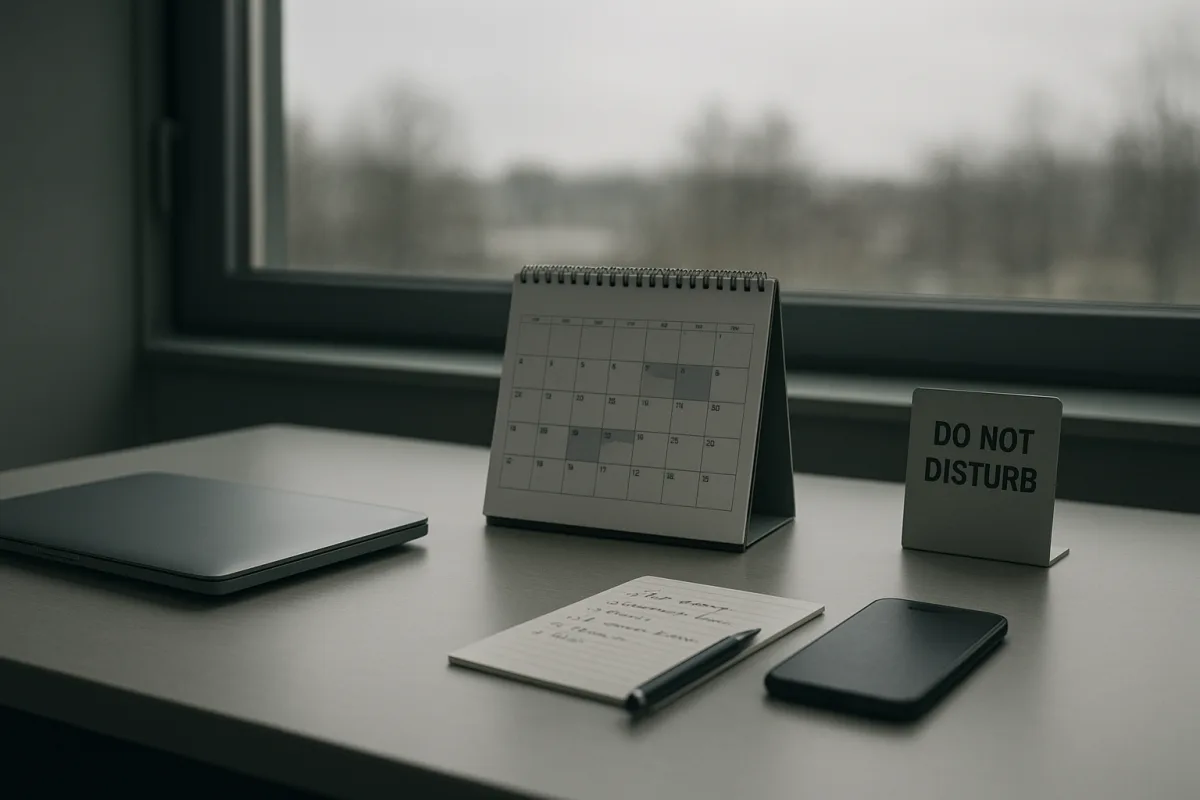
The interruption arrives before you have properly started
Most advice begins with a heroic-looking 90-minute focus block. The problem is that a real workday often begins with an inbox, a chat message, a question from a colleague, and the instinct to answer all three.
That matters because the attention cost is not limited to the minute spent replying. One frequently cited estimate puts the average worker at 275 interruptions a day, roughly one every two minutes. [6] Another estimate gives recovery after an interruption as 23 minutes and 15 seconds. [7]
Those figures should be treated carefully. They come from productivity reporting rather than a single definitive, universal workplace study. Still, they describe a familiar practical problem: interruptions fragment work long before a calendar block becomes meaningful.
The useful starting point is smaller than a grand “deep work” session. Research summaries in the brief suggest that 15 to 20 uninterrupted minutes may be enough to reach a settled, flow-like state, while longer blocks only work once that initial ramp-up has happened. [7][10]
So begin by scheduling a protected 20-minute start, not by promising yourself two flawless hours. Choose one task with a concrete output, such as drafting an outline, reconciling a report, or resolving a defined set of support tickets.
Put that 20-minute period in your calendar as busy. Close the tools that are not needed for the task, then start with the document, spreadsheet, design file, or work queue already open. Time blocking is recommended because it assigns work a place rather than leaving it exposed to whatever arrives next. [1][10]
This is one of two systems that tends to survive a normal week: a short protected start followed by a longer block only if the work is moving. It asks for a calendar decision and some visible restraint, not a personality transplant.
Then your inbox makes a reasonable-sounding demand
Email and chat are difficult because most messages are not obviously irrelevant. A request may be genuinely urgent, and a quick reply feels cheaper than returning to a complicated task later.
The catch is that a notification check can be brief without being mentally brief. WorkLifeSleep reports that even a two-second notification check can be associated with a 23-minute delay before full refocus. [8] The exact number will vary, but the direction is clear.
Do not try to solve this by checking messages “less often” in the abstract. Put message handling into defined blocks. The practical guidance in the research brief is to reserve 30 to 60 minutes for shallow work, including email, chat responses, administration, and routine coordination. [10][18]
For example, keep a 20-minute start block from 9:00 to 9:20, work on the main task until 10:00 if possible, then process messages from 10:00 to 10:30. The schedule is not sacred, but the separation is.
During the focus period, turn off banners, badges, sounds, and pop-up previews for non-essential applications. Notification management and distraction-free environments are consistently recommended interruption controls. [3][4][5] Leave genuinely critical routes available only if your role requires them.
That last qualification matters. A customer-facing support worker, a clinician, an incident responder, or a manager responsible for an operational team may not be able to disappear for an hour. In those jobs, the better unit is a shorter, explicitly covered period.
Ask a colleague to cover the escalation channel for 25 minutes, then return the favour later. If no cover exists, work in smaller intervals around required monitoring. The Pomodoro method uses 25 minutes of work followed by a five-minute break, and may suit work that has to coexist with regular responsiveness. [11][18]
The next interruption is often you
After external notifications are muted, another pattern becomes visible. You open a browser to verify one fact, notice a new tab, check a personal message, and return with no idea where the original thought was going.
Research on interruptions flags self-initiated distraction as a distinct problem, alongside external messages and colleagues. [15][16] This is not a reason to turn focus into a character test. It is a reason to make the next action easier than the diversion.
Before beginning a block, write one sentence describing what you will do next. “Compare the three proposals and mark the missing cost assumptions” is usable. “Work on strategy” leaves too much room for tab-switching and low-stakes rearranging.
Keep a capture note beside the work. When you remember an email, errand, article, or question, write it down without acting on it. You are not deciding it is unimportant, only postponing the decision until the message block.
Avoid multitasking as a default response to anxiety about the backlog. Context switching is repeatedly identified as a productivity problem because moving between tasks leaves attention divided and increases the cost of returning to the original work. [1][16]
The second system that holds up reasonably well is task batching. Put similar low-concentration tasks together: approve expenses, answer routine messages, make calls, or update project statuses in one designated window. [1][3]
Batching does not mean ignoring people all day. It means replacing constant partial attention with predictable availability. If colleagues know that routine requests are handled at 11:30 and 3:30, fewer of them need to arrive as interruptions.
Colleagues cannot see your concentration level
A calendar block alone is easy for other people to miss. In an open office, at home with family nearby, or in a chat-heavy team, you need a signal that says what is happening and when you will be available again.
Use a status message with an end time: “Working on the quarterly report until 10:30. Call if the client issue is urgent, otherwise I will reply after.” Clear boundaries and Do Not Disturb signals are among the recommended workplace strategies. [2][3]
The end time is important. “Do not disturb” can sound like a rebuke or an indefinite absence. “Available at 10:30” gives colleagues a route to cooperation without requiring them to guess whether their question is allowed.
If you work in person, agree on a simple equivalent with your team: headphones, a desk sign, or a stated focus hour. There is no direct evidence in the brief quantifying the benefit of a tidier desk or a particular physical signal. The recommendation is practical, not proven.
Do not impose a silence rule without considering local norms. Reporting on workplace culture notes that collectivist settings may tolerate more interruption, while hierarchical workplaces can have fewer interruptions that carry greater significance. [14]
In UK and US workplaces, workers have increasingly called for “digital silence” periods, while Scandinavian norms place greater emphasis on avoiding interruption outside work hours. [14] That does not make any model universally transferable.
A team can trial one shared focus period each day, perhaps 9:30 to 10:30, while preserving an urgent channel. Review whether response times, missed decisions, or frustration change. The brief found no strong evidence on long-term adherence or effects on collaboration quality.
Choose a block length that matches the work
Once the first 20 minutes are protected, extend the block only as far as the task and your role support. Recommendations differ: some guidance favours 90 to 120 minutes for deep work, while Pomodoro uses 25-minute intervals. [10][11][18]
There is no settled universal optimum in the research brief. The disagreement is useful rather than inconvenient. It means you can choose a method based on the shape of the work instead of treating one timer as a verdict on your capacity.
Use 25 minutes plus a five-minute break when the task is unpleasant, easily avoided, or repeatedly interrupted by legitimate work demands. It is also a workable structure for a day dominated by short, discrete assignments. [11][18]
Try 52 minutes of work followed by 17 minutes away from the task when 25 minutes feels too short but two hours is unrealistic. The 52/17 method is another published focus-timer option. [18] Treat the break as a break, not a chance to start checking everything.
Reserve 90 to 120 minutes for work that benefits from holding many details in mind, such as analysis, writing, coding, planning, or complex design. [10] Schedule it after you have handled predictable administrative demands, not immediately before a meeting.
If a 90-minute block repeatedly fails at minute 35, shorten it. The point is to protect sustained attention, not to win a contest with a timer. There is no strong evidence here that forcing longer blocks improves outcomes across different occupations.
Use tools to enforce a decision you have already made
Software can reduce exposure to prompts, but it cannot choose the important task or resolve a workplace that expects instant replies. The research brief lists several tools, while also noting limited evidence comparing hardware and software approaches.
Freedom is listed at $0.28 per month and suits people who want scheduled blocking of distracting sites or apps without adding equipment. [4] Its value depends on whether the block is set before temptation arrives, rather than overridden during a difficult task.
Dingpin is a free, open-source option and suits people who want a no-cost notification-management tool with more control over how it is configured. [5] Free does not necessarily mean simpler, so it is best for someone willing to spend time setting rules.
Busy Bar is a $249 hardware interruption-management device, suited to a desk-based worker who needs a physical, highly visible availability signal. [5] The brief does not establish that it works better than software, so its price needs a clear workplace use case.
Samsung Galaxy S26 notification categories offer fine-grained notification control and suit users who need different rules for different app types or contacts. [5] The research brief provides no price for the phone, so it would be misleading to imply a cost comparison with the other tools.
Start with settings already available on your work devices: silence non-essential notifications during blocks, allow calls from necessary contacts, and check whether recurring alerts can be bundled or delayed. Notification control is the low-cost first step before buying a dedicated device. [3][5]
When the environment is working against you
Some interruptions are not messages or colleagues. Remote workers can face household demands, while open offices expose people to conversation and movement. Environmental conditions can also shape attention and the likelihood of drifting into non-work activity. [3][17]
Research cited in the brief links extreme hot or cold temperatures with lower productivity and more non-work behaviour during working hours. [17] It does not establish that any particular desk arrangement fixes this, so keep environmental changes modest and practical.
Move complex work to the quietest available location, use a room with a door when possible, and save routine communication for noisier periods. If a location changes every day, let the calendar block, status message, and notification settings provide the consistency instead.
Winter can add another complication for remote workers. Reduced daylight may disrupt circadian rhythms and contribute to fatigue, according to CuckooTimer’s reporting. [19] If tiredness, concentration problems, sleep changes, or low mood persist, treat them as health questions for a doctor, not a productivity system to optimise.
Finally, price interruptions honestly. Nasstar estimates that workplace distraction costs UK businesses more than £480 billion annually. [9] That figure is broad and should not be used to prove the value of a particular app, but it explains why small workplace norms deserve attention.
The practical goal is not perfect silence. It is a workday with protected starts, planned communication windows, visible boundaries, and a humane route for urgent contact. That is enough structure to make focused work possible without pretending that people, teams, or weather will behave like a timer.
Frequently Asked Questions
How can I protect my focus from interruptions at work?
Start by protecting the first 15 to 20 uninterrupted minutes of a task to allow your attention to settle before attempting longer deep-work blocks. Schedule this protected time on your calendar as busy, close unnecessary tools, and begin with the task materials ready. Making your unavailable periods visible to colleagues also helps reduce interruptions.
What are effective ways to manage email and chat interruptions?
Batch email and chat handling into defined 30 to 60-minute windows separate from focused work periods. For example, after a protected work block, allocate a specific time to process messages rather than checking them sporadically. This separation reduces frequent context switching and helps maintain flow during deep work.
How long does it take to regain focus after an interruption?
Research suggests it can take on average about 23 minutes and 15 seconds to fully regain focus after an interruption. Even very brief distractions, such as a two-second notification check, can cause this significant delay in returning to a deep work state.
How can I schedule work to minimize interruptions?
Use time blocking to assign specific periods for focused work and separate blocks for shallow tasks like email and chat. Begin with a short 15 to 20-minute protected start before extending into longer deep-work sessions. Make these blocks visible on your calendar to signal availability and reduce unplanned interruptions.
What role do self-initiated distractions play in workplace interruptions?
Self-initiated distractions, such as checking messages or starting a new task impulsively, are part of the interruption problem and not merely a failure of willpower. These internal distractions can be more disruptive than external ones and should be managed alongside external interruptions to maintain productivity.
How we researched this
This article was assembled from 19 cited references.
Nothing here is based on hands-on testing. Where a figure or finding appears, it belongs to the source cited beside it, and the writing says so rather than implying otherwise. Every source is listed below so you can check it.
Sources
- Context switching: How it affects focus and output | Tempo
- ADHD at Work: 7 Ways to Handle Interruptions
- How to Avoid Distractions at Work: 9 Practical Strategies
- Minimize Distractions at Work: Practical Strategies to Focus
- Improve Focus at Work - DealerXT
- Workplace Distraction Statistics 2026: Productivity And Focus Rates
- How Long Does It Actually Take to Get Back Into Focus After an Interruption? — Aftertone
- Email, notifications, and the cost of interruption | WorkLifeSleep
- Killing the Productivity Killer | Nasstar
- Time Blocking in 2026: The Trends, Research & Tips That Actually Work
- 18 Time Management Techniques That Actually Work in 2026 | Metaintro
- Time Blocking: Turn Your Calendar Into a Focus Machine
- Time Blocking and Calendar Management Complete Guide 2026 - Calmops | Tech, Business & Indie Hacker Knowledge Base
- 'Always on' culture is harming productivity, so workers are demanding 'digital silence' to get on with tasks
- How Interruptions Affect Productivity and Stress - ScienceInsights
- 30 Attention-Draining Mistakes That Are Ruining Your Productivity | The Most Common Mistakes
- Extreme temperatures and non-work at work - ScienceDirect
- Focus Timer Techniques: Pomodoro, 52/17, Time Blocking & More (2026)
- Why Winter Drains Remote Workers and How to Respond | CuckooTimer
Related Articles

Minimize Distractions at Work: Practical Strategies to Focus
Learn how to minimize distractions at work with practical tips on managing notifications, focus blocks, and communication for better productivity.
Async-First Remote Team Collaboration: Best Practices
Learn best practices for async-first remote team collaboration to improve communication, meetings, and productivity across time zones.
52 17 Productivity Technique for Remote Work Focus Cycles
Learn the 52 17 productivity technique for remote work: focus blocks and breaks that boost deep work and reduce distractions effectively.
How to Stay Motivated at Work
Learn how to stay motivated at work with actionable tips on task design, mindset, breaks, and reframing meaning to boost your productivity.