
Best Laptops for Productivity: MacBook Air M5 vs Zenbook Duo
Compare the best laptops for productivity: Apple MacBook Air M5 and Asus Zenbook Duo to find which suits your work style and multitasking needs.
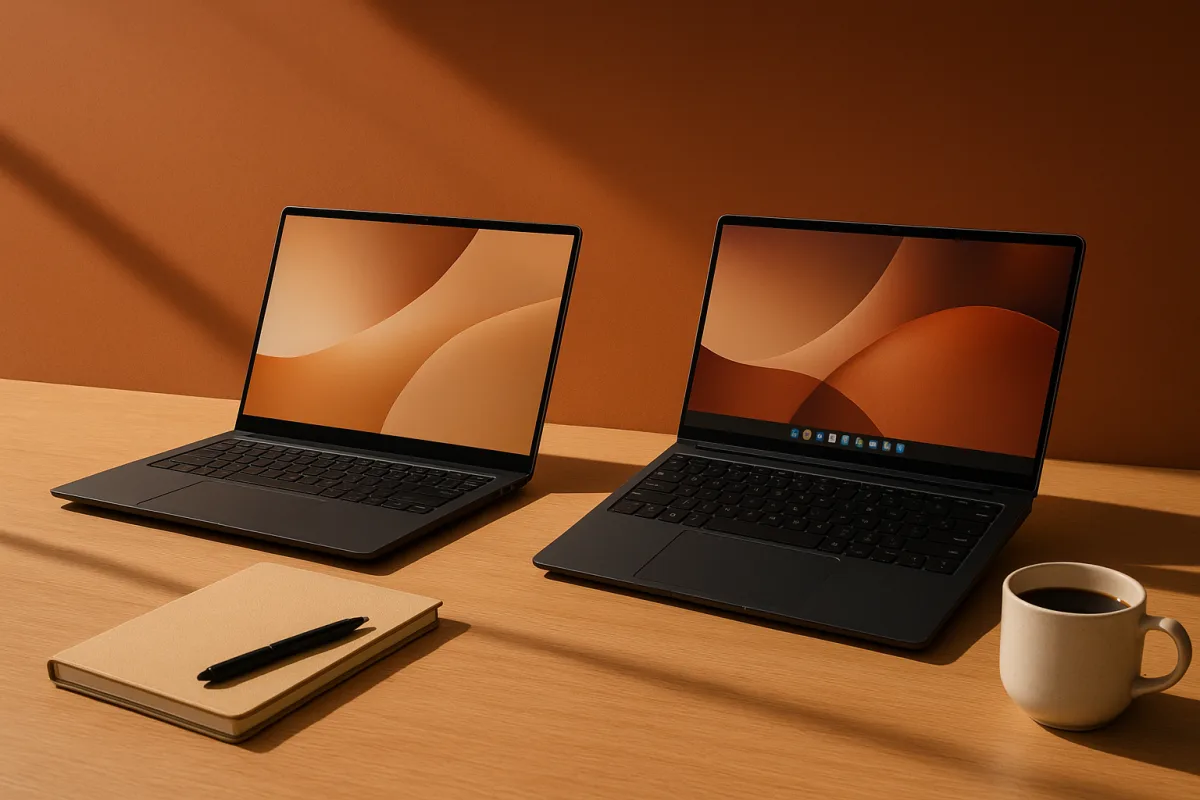
The decision: Apple MacBook Air M5 or Asus Zenbook Duo?
The word “notebook” causes trouble here. If you mean a paper notebook, neither of these is the answer. If you mean a laptop for planning, writing, meetings, research and the ordinary pile of work that accumulates across a week, the more useful decision is between the premium Apple MacBook Air M5 and the mid-range Asus Zenbook Duo.
They are not substitutes in the simple sense. The MacBook Air M5 is the quieter choice for someone who wants one portable machine that stays out of the way. The Zenbook Duo is for someone whose work genuinely improves when two documents, windows or applications are visible at once.
For most people, the Apple MacBook Air M5 is the safer recommendation. For a smaller group, particularly spreadsheet-heavy, research-heavy and screen-sharing multitaskers, the Asus Zenbook Duo’s second display is not a novelty but a practical advantage. The latter group should be honest about whether they need more screen space or merely like the idea of it.
There is no study showing that a second laptop screen, a particular keyboard layout or a particular chassis material makes a person more productive. The research brief found no direct research tying physical notebook features to productivity either. These are workflow choices, not evidence-based treatments for poor focus, fatigue or low mood. If attention or sleep has become difficult to manage, that is a question for a clinician, not a new device.
Criterion 1: What kind of work is in front of you?
The Apple MacBook Air M5 is a premium laptop aimed at professionals who need performance without carrying a large machine. Tom’s Guide reports that Apple’s M5 chip is intended to improve performance and efficiency. Its best case is a fairly linear working day: writing, email, browser-based research, video calls, document review, presentations and a reasonable amount of creative work.
That is not glamorous, but it is most people’s job. A single screen can be an advantage when the task is supposed to be one thing at a time. It makes it easier to close the chat client, hide the email tab and write the report. The limitation is equally plain: when you need a source document, a working draft, messages and a spreadsheet open together, you begin shuffling windows.
The Asus Zenbook Duo occupies the upper end of the mid-range field and is designed around that problem. Tom’s Hardware reports dual 14-inch, 144Hz OLED displays and Intel Core Ultra X9 processors. The second screen can give an editor a draft above reference notes, a project manager a task board beside a meeting window, or an analyst a spreadsheet beside a dashboard. Reporting on double-screen laptops arriving at CES 2026 also makes clear that this is an active category, rather than an abandoned experiment. [8]
Its failure mode is not performance. It is surplus capacity. Two screens make it easier to keep communication, dashboards and browser tabs permanently visible. That can support real work, or it can turn a focused task into a better-organised distraction system. A dual-screen laptop suits work that requires comparison and monitoring. It does not automatically suit someone whose main problem is deciding what to do next.
Winner: Zenbook Duo for sustained side-by-side work. MacBook Air M5 for mostly single-task work.
Criterion 2: Portability and the daily setup cost
The MacBook Air M5 is the better choice if the laptop travels daily between home, office, client sites, lecture rooms and cafes. Its appeal is not that it can do everything, but that it asks little of the owner: open it, work, close it, carry it. That matters more than benchmark distinctions when a device is moved several times a day.
The Zenbook Duo can still be portable, but its productivity pitch assumes you will use the second display. That means a slightly more deliberate setup at each desk and a working posture that accommodates two screens. It makes sense for someone who spends long blocks in one place. It makes less sense for a person who regularly works in cramped seats, holds the laptop on their knees or needs to start taking notes before a meeting begins.
This is where many buying guides mistake “more workspace” for “more usable workspace.” A larger or dual-screen arrangement helps only when the desk, task and habits support it. If your actual day is five short bursts of work between appointments, the simpler machine usually wins.
Winner: MacBook Air M5.
Criterion 3: Keeping information organised
Digital notebooks have an obvious advantage over paper: files can be searched, duplicated, linked, backed up and shared. The research brief notes that this organisational strength comes with dependency on power, software and the possibility of digital distraction. An e-ink tablet or digital-notebook approach can be attractive precisely because it removes some of the browser and notification pressure of a full laptop, though it also gives up the broader software environment. [4]
Between these two laptops, the Zenbook Duo gives more room to organise work visually. You can keep a calendar, outline or reference material visible while working elsewhere. That is valuable when the information must stay in sight. It is less useful for retrieving old notes. Searchable files, a consistent folder structure and a habit of naming documents are doing the real work there, not the number of displays.
The MacBook Air M5 falls down if you expect the machine itself to impose order. It will not. Neither will the Zenbook Duo. Both can become a desktop covered in screenshots, downloads and unnamed documents.
For people who also use paper, the sensible setup is often hybrid: capture or think by hand, then transfer decisions, deadlines and reference material into a searchable digital system. The research brief identifies hybrid analog-digital systems as the pragmatic way to retain the strengths of both. Dingbats’ overview of analog and digital productivity similarly argues for combining the formats rather than treating them as opposing camps. [5]
Winner: Draw. The Duo shows more at once, but neither replaces an organisation system.
Criterion 4: Battery, maintenance and lifespan
A laptop that is inconveniently dead is not a productivity tool. The field’s reporting positions the MacBook Air M5 around efficiency, while the Zenbook Duo uses two high-refresh OLED displays, which means its workload and display choices deserve more attention. The supplied material does not provide a directly comparable battery-life figure for these two models, so it would be misleading to declare a numerical winner.
The practical distinction is simpler. The MacBook Air’s single-screen design gives it a more straightforward case as an all-day carry machine. The Duo’s additional screen is useful enough that some people will accept a more involved charging routine. Those are different bargains.
The research brief puts average laptop lifespans at roughly two to three years for budget machines, three to five years for mid-range machines and five to seven years for premium or business models. These are broad averages, not guarantees for any one model. A more expensive laptop is not automatically the durable choice if it is poorly maintained or badly matched to the work.
Basic care is not exciting, but it is more defensible than chasing annual upgrades: keep vents clear, avoid prolonged high temperatures, install updates, clean the keyboard and screen carefully, and manage battery charging where the device’s software supports it. Charging in roughly the 20 to 80 percent range is a commonly recommended battery-health practice in the research brief, not a rule worth interrupting work to obey.
Winner: MacBook Air M5 for the lower-friction ownership case, with no sourced head-to-head battery result.
Criterion 5: Cost position and value
The Apple MacBook Air M5 is premium priced. The Asus Zenbook Duo is positioned in the mid-range, so it should cost less than the Air in the supplied field’s broad classification, though actual retailer prices change and should be checked at purchase.
The question is not whether the second screen is impressive. It is whether it replaces something you would otherwise buy or carry: an external display, an iPad used as a second screen, or the repeated time cost of switching between windows. If it does, the Zenbook Duo may be the better value. If not, it is a more complicated computer for a problem you may not have.
Winner: Zenbook Duo for buyers who will use the second display every working day. MacBook Air M5 for buyers paying for portability and simplicity.
Where the rest of the field sits
The head-to-head choice is still Apple versus Asus, but the rest of the supplied field shows where the alternatives belong.
At the premium end, the Dell XPS 14 (2026) suits business users who want compact power, with Tom’s Guide reporting strong Panther Lake performance. The Lenovo ThinkPad X1 Carbon Gen 14 suits corporate professionals who prioritise durability and strong battery life, qualities noted by The Lost Pie. [6] The Asus Zenbook S 16 suits creatives and multitaskers wanting a 16-inch 3K OLED display and high-end AMD Ryzen AI or Intel options. These are all premium choices, more expensive than the mid-range group and aimed at buyers with specific demands rather than basic document work.
The mid-range field includes the HP OmniBook X Flip 16, for people who need a foldable 16-inch 2K touchscreen and a Core Ultra 7 processor, and the Dell Pro Max 16 Plus, for professionals who need workstation-like performance in a portable machine. TechRadar characterises the latter as desktop performance in a mobile workstation. [7] The Microsoft Surface Laptop 7 suits Windows users who value Copilot+ and close Windows integration. The Samsung Galaxy Book 6 Pro suits people who want a portable Windows machine with Panther Lake performance and reported strong battery life. The Dell 14 Plus 2-in-1 is the cheaper, versatility-led option in this group. The Asus Zenbook Duo is the choice for dual-display multitasking, not necessarily for everyone seeking a general-purpose laptop.
At entry level, the Acer Aspire 5 suits budget-conscious users doing ordinary daily work, while the Dell 14S (2026) suits students and professionals who need a cheaper laptop with reported long battery life. These entry-level machines cost less than the mid-range and premium options, but buyers should expect fewer years of comfortable headroom than from a well-chosen business or premium machine.
The honest recommendation
Choose the Apple MacBook Air M5 if your work is mainly writing, communication, meetings and focused individual tasks, and you want the least complicated premium laptop to carry and maintain.
Choose the Asus Zenbook Duo if your work repeatedly involves comparing documents, monitoring several sources or keeping a planning surface visible beside active work. Its advantage is concrete, but specialised.
They are close only if your work is mixed. In that case, do not buy the Duo because two screens sound productive. Buy it when you can name the two things you need open together. Otherwise, the MacBook Air M5 is the more restrained choice, and restraint is often more useful than another place to put a tab.
Frequently Asked Questions
Which laptop is better for productivity, MacBook Air M5 or Asus Zenbook Duo?
The MacBook Air M5 is generally better for most people who do mostly single-task work like writing, email, and presentations. The Asus Zenbook Duo is better suited for users who benefit from having two screens visible at once, such as spreadsheet-heavy or multitasking professionals. The choice depends on the nature of your work rather than one being universally more productive.
How does a dual screen laptop improve productivity?
A dual screen laptop like the Asus Zenbook Duo allows users to keep multiple applications or documents visible simultaneously, which helps with comparison, monitoring, and multitasking. This setup supports workflows that require side-by-side viewing but can also lead to distractions if not managed carefully. It is most useful for work that genuinely benefits from having more screen space visible at once.
Is the MacBook Air M5 more portable than the Asus Zenbook Duo?
Yes, the MacBook Air M5 is more portable and better suited for users who move frequently between locations. It is designed to be lightweight, easy to open and close, and requires minimal setup. The Zenbook Duo, while still portable, assumes longer work sessions in one place due to its dual screens and more deliberate setup needs.
What are the battery life differences between MacBook Air M5 and Zenbook Duo?
The article does not provide specific battery life comparisons between the MacBook Air M5 and the Asus Zenbook Duo. However, the MacBook Air M5 is noted for efficiency and is implied to support a full working day, while the Zenbook Duo’s dual screens may affect battery usage differently. For exact battery life details, consulting manufacturer specifications or reviews is recommended.
Which laptop is best for multitasking and organizing work?
The Asus Zenbook Duo is better for multitasking because its dual screens allow multiple windows or applications to be visible simultaneously, aiding organization during active work. However, neither laptop inherently organizes files or tasks; effective organization depends on user habits and digital systems rather than hardware alone.
Sources
- Best Japanese Notebooks in 2026 - CuratePeak
- How to Specify Paper Weight and Coil Size for a Custom Notebook – Customized Spiral Notebooks
- Best Work Laptop For Productivity: $89.99 - $1448.99 Across 4 Stores. Compare Prices on BestBuy, Amazon, Walmart & Target | Shopperoo
- E-Ink Tablets and Digital Notebooks: How They Power Focused Productivity in a Distracted World
- Analog vs Digital Productivity: The 2026 Hybrid Method | Dingbats*
- Lenovo ThinkPad X1 Carbon Gen 14
- Dell Pro Max 16 Plus
- Así son las nuevas notebooks de doble pantalla que llegan a la CES 2026 - LA NACION
Related Articles

Using Feedback for Productivity Improvement
Learn how to use feedback effectively to improve your productivity with actionable steps and optimal feedback frequency.

How to Measure Productivity Effectively
Learn how to measure productivity effectively using progress, quality, and time tracking for meaningful insights into your work.

How to Use Affirmations for Productivity Effectively
Learn how to use affirmations for productivity with believable, task-specific statements that boost focus and help you start work.

Role of Accountability in Productivity
Explore the role of accountability in productivity and learn how effective feedback loops and autonomy improve focus and work completion.